


Description
DJI AP100 Parachute for Matrice 400
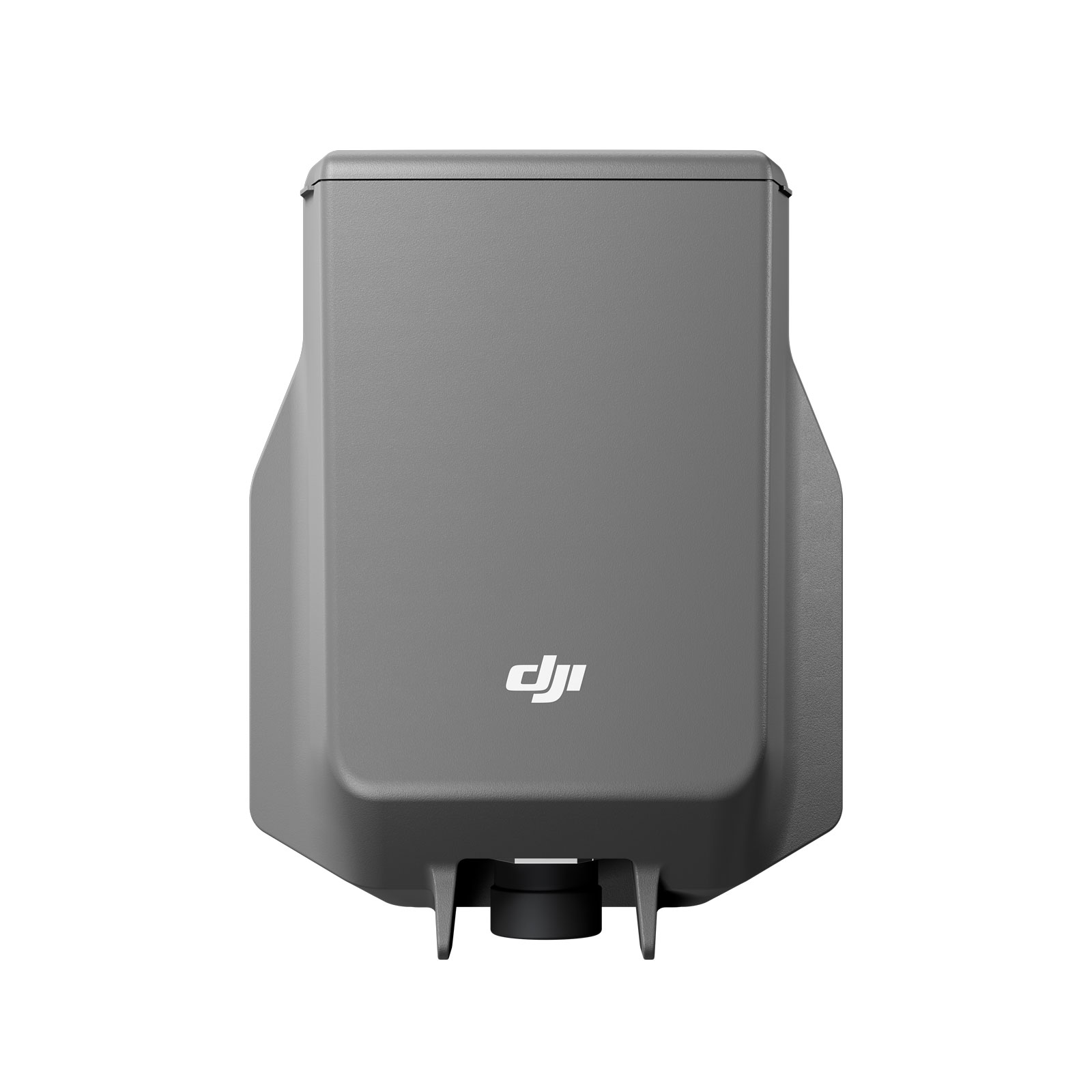
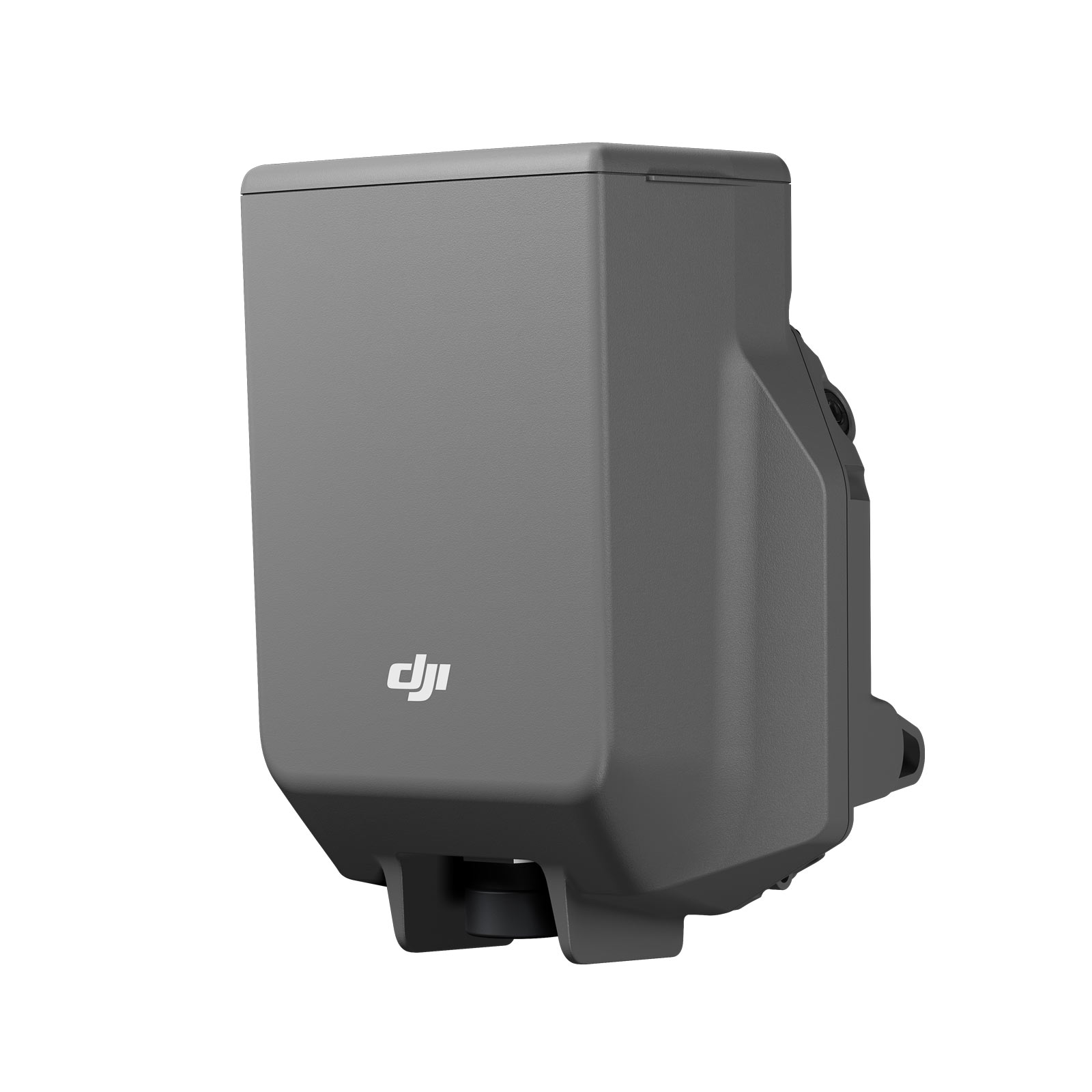
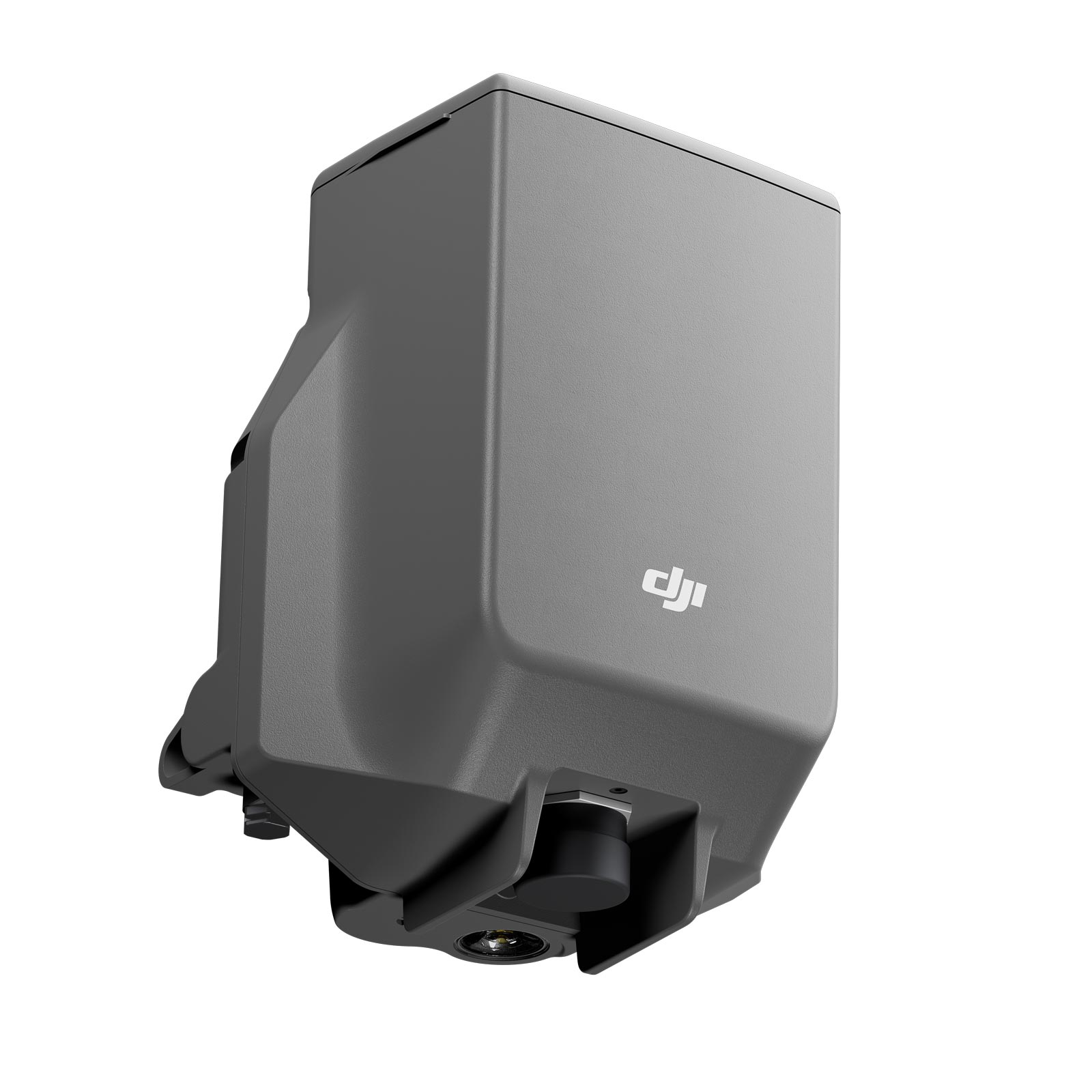
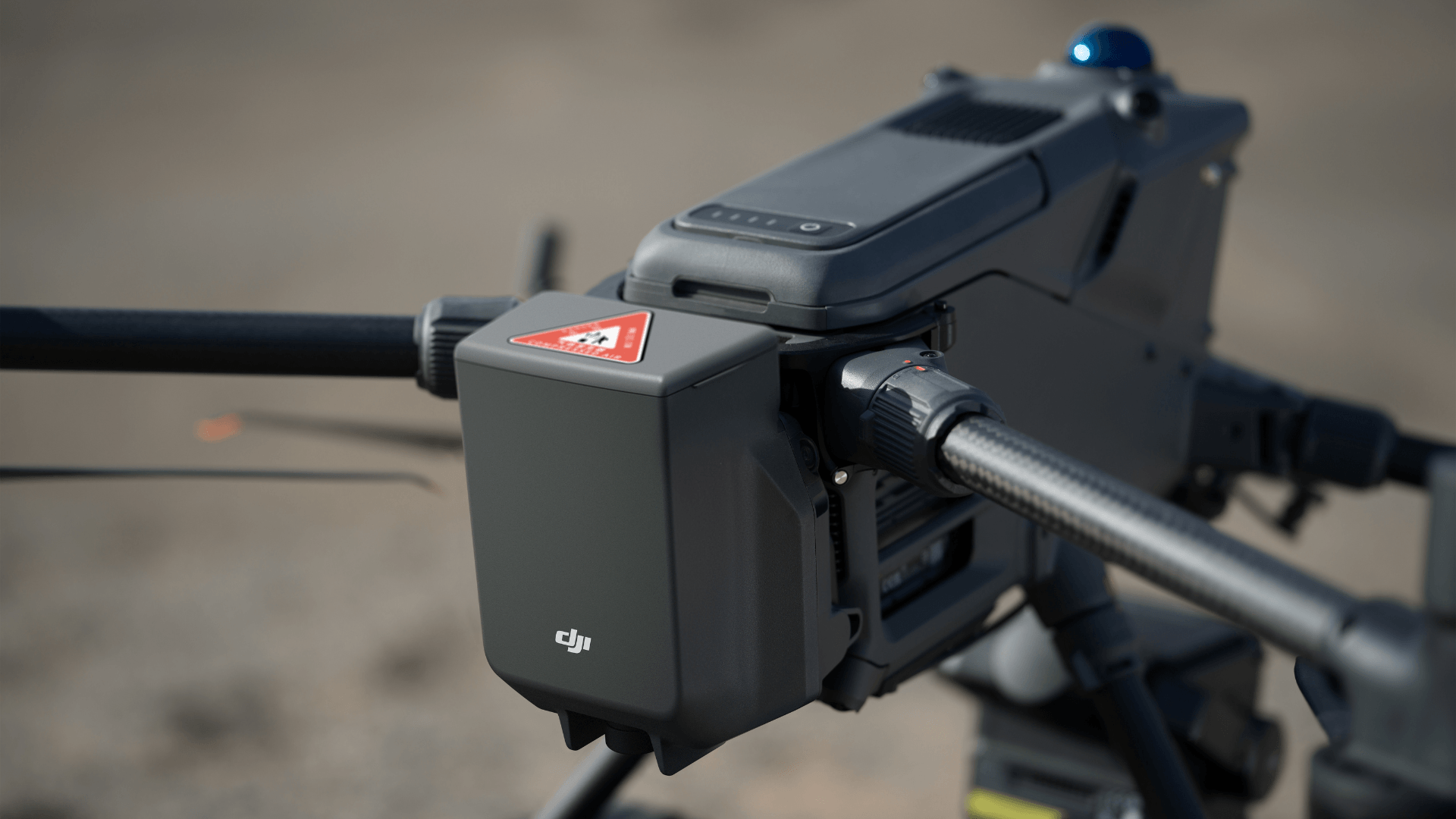
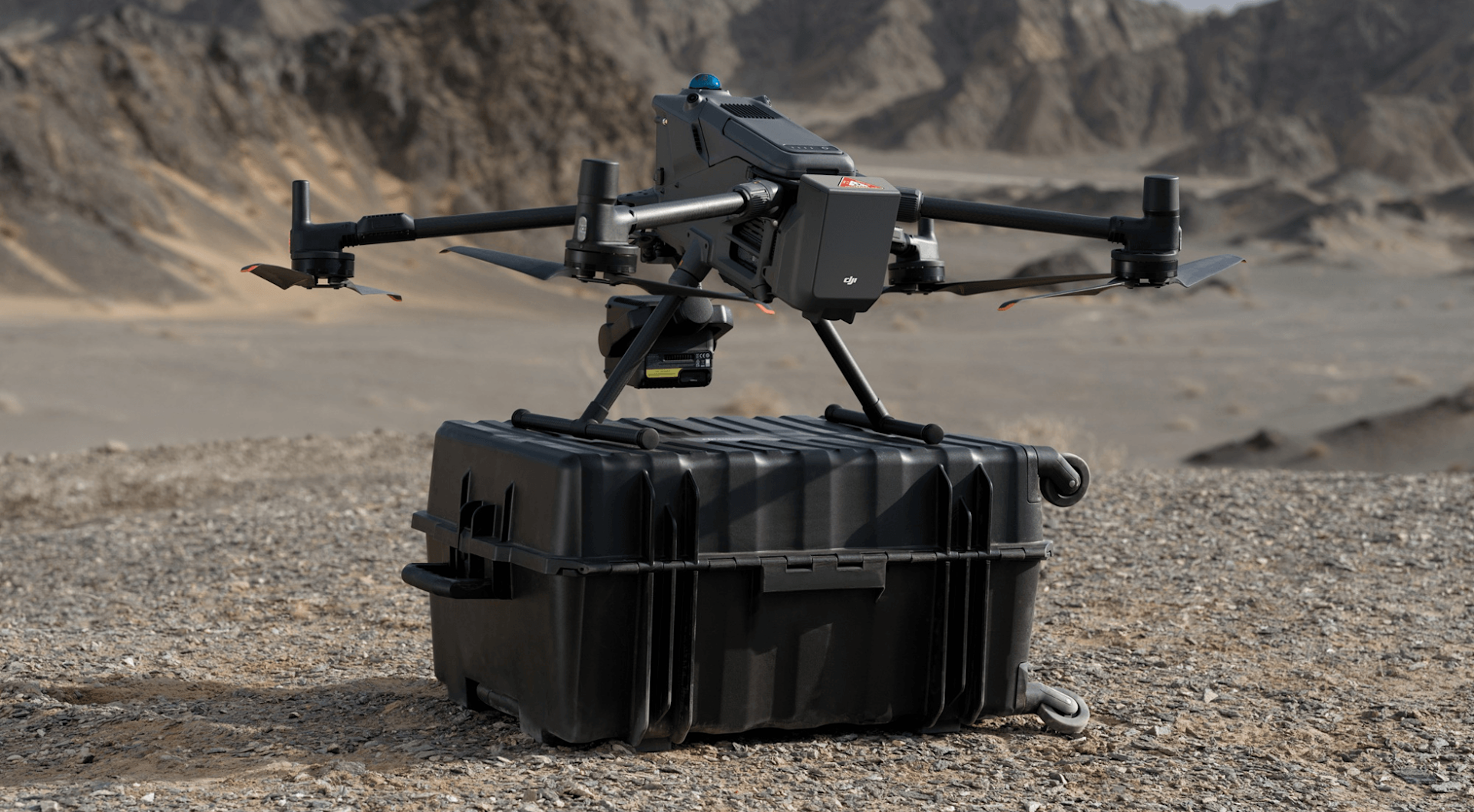
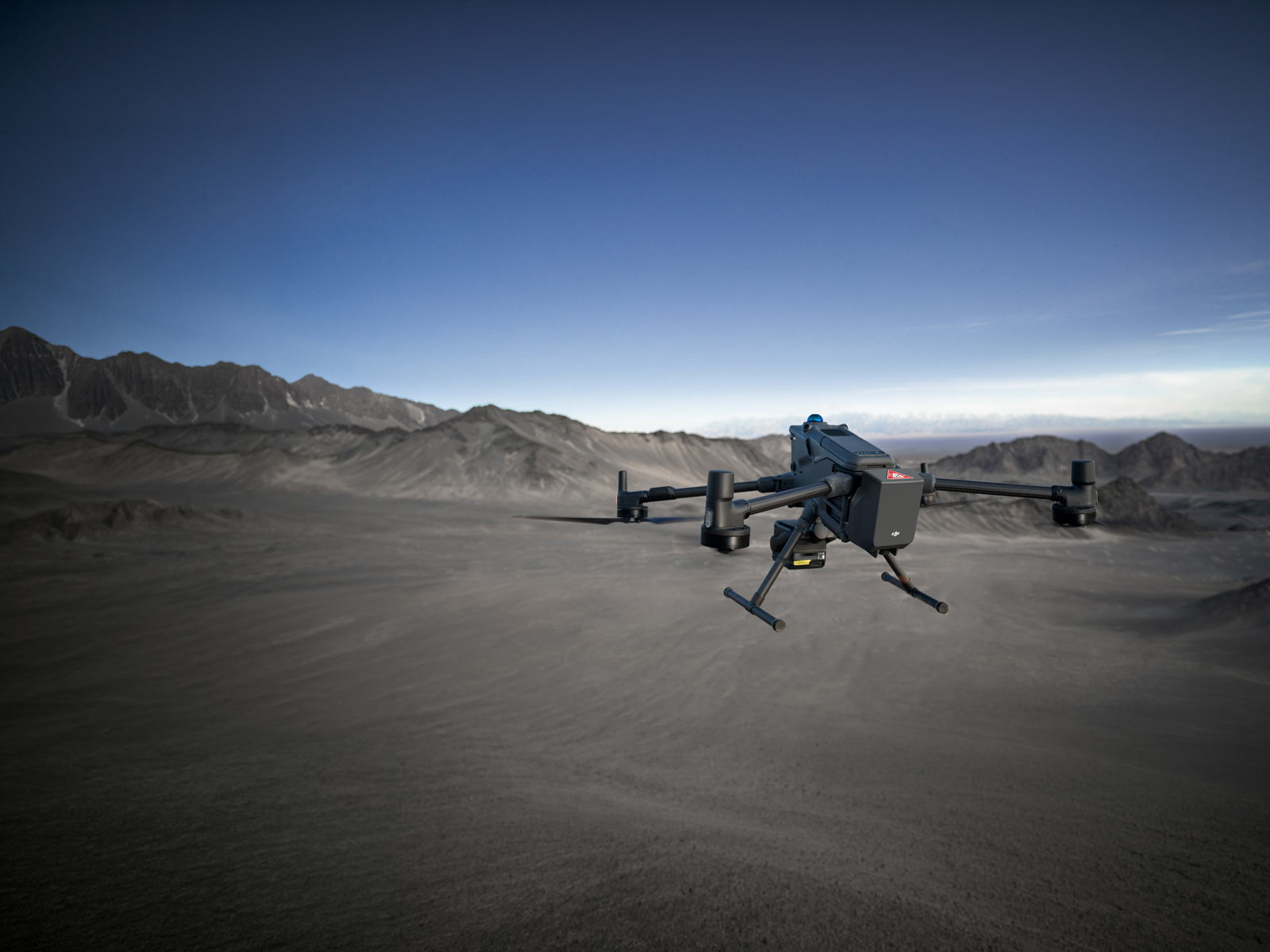
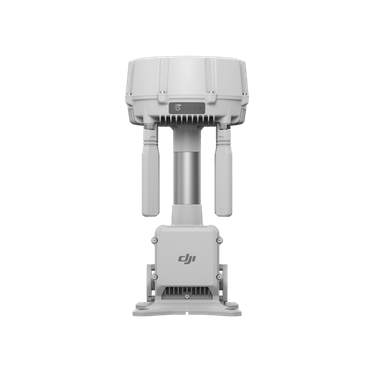
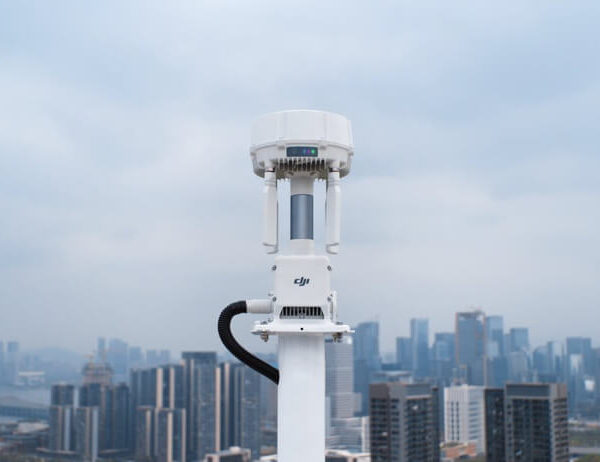
The DJI AP100 parachute is an optional safety accessory designed for the DJI Matrice 400. It is not a complete aircraft system but a supplementary risk mitigation tool. This product is intended to reduce potential damage in the event of an emergency, though it does not eliminate all risks or guarantee protection. The AP100 is compatible with the DJI Matrice 400 and supports a maximum total aircraft takeoff mass of 15.8kg, including all equipment and the AP100. The AP100 weighs approximately 935g, including the bracket.
Compatibility
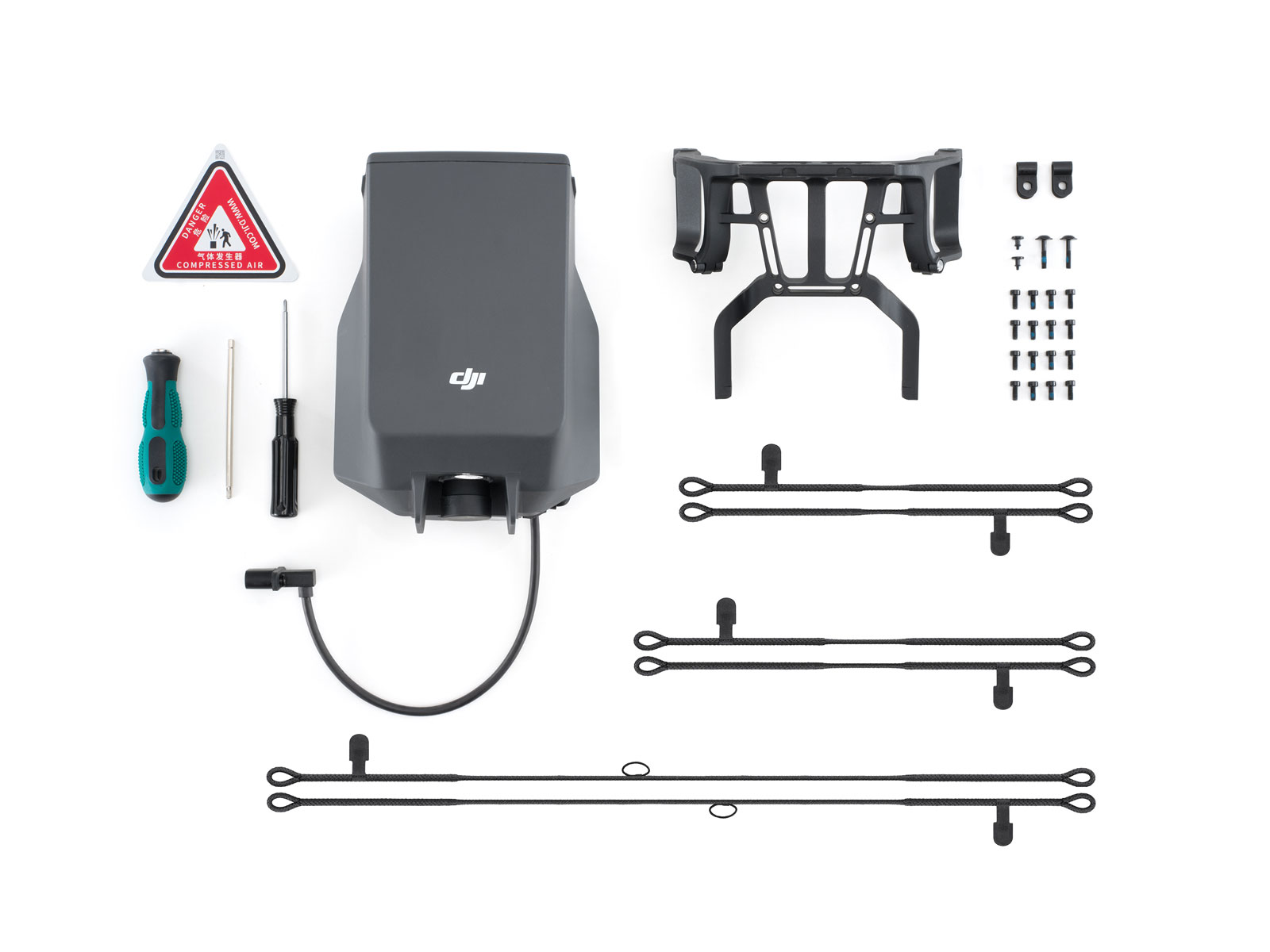
The AP100 is specifically designed for the DJI Matrice 400 and is not guaranteed to work with other models. When using the AP100, the gimbal safety tether must be correctly attached to the corresponding Gimbal Connector to reduce the risk of load detachment during parachute deployment. The gimbal safety tether does not support third-party payloads or brackets.
The AP100 reduces the available payload capacity, as outlined in the user manual. At different flight altitudes during low-battery return-to-home scenarios, the maximum payload with and without the parachute is provided for reference. However, these values are not a guarantee of performance under all conditions and should be considered as part of the planning process.
It is important to note that the use of the AP100 disables the mmWave radar sensors located on the lower and rear sections of the aircraft, which may reduce the ability to detect small obstacles in those areas. This does not mean that all sensing functions are compromised, but users should remain vigilant in these directions.
The AP100 is an independent system with its own power and redundant components, and it supports both manual and automatic deployment. However, it is not a substitute for proper mission planning or adherence to local regulations. Adding the AP100 to an existing Matrice 400 does not automatically grant a factory C6 label. The C6 classification is reserved for the Matrice 400 (C6) Worry-Free Plus Combo, which includes the AP100 as part of the factory-certified system.
AP100 Specifications
| Compatible aircraft | DJI Matrice 400. |
|---|---|
| Weight with bracket | Approximately 935g. |
| Dimensions with bracket | 182 × 171 × 157mm (L × W × H). |
| Maximum supported takeoff mass | 15.8kg total aircraft takeoff mass, including all equipment; not a payload allowance. |
| Operating temperature | −20°C to 50°C. |
| Operating altitude | 0–4500m; a technical operating-altitude specification, not permission to fly at that height. |
| Ingress protection | IP55 under controlled test conditions. Protection is not permanent and may decrease with wear. |
| Stabilised descent speed | ≤5m/s: DJI reference tests in a windless environment at 25°C, deployment at 30–500m, Matrice 400 total takeoff mass 15.8kg. Actual results vary. |
| Minimum effective deployment altitude | ≥30m under the stated reference conditions. Below this, the canopy may not fully inflate and automatic deployment may not trigger in some cases. |
| Automatic deployment response time | ≤600ms in a controlled laboratory test, from FTS signal through confirmed complete rotor stop to gas-generator electrical trigger. This is not full canopy inflation time. |
| Independent backup power | Dual capacitors; when fully charged, approximately 1 hour at 25°C with the product in factory state, or connected to the aircraft for over 30 minutes of flight each month. Reference data. |
| Manual deployment | DJI Pilot 2 slider during flight. Supported FlightHub 2 FTS also requires the stated aircraft/controller connectivity and verification setup. Ground deployment is locked out. |
| System self-check | Gas-generator and communication-link monitoring from aircraft power-on; alerts appear in DJI Pilot 2 HMS. |
| Audible and visual alerts | Approximately 1 hour after deployment under the same 25°C/factory-state or monthly connected-flight reference conditions. The physical button stops the alerts. |
| Gimbal safety tether | Mandatory correct attachment to the corresponding Gimbal Connector; check supported payload and bracket configuration. |
| Payload planning | Account for reduced available payload; use DJI’s altitude-dependent low-battery return-to-home payload table without relabelling its altitude datum. |
| Sensing change | Installing AP100 disables downward and backward mmWave radars, reducing small-obstacle sensing in those directions. |
| Periodic inspection | Recommended every 3–6 months, including condition, moisture, cable/port corrosion, fasteners and tether. |
| Recommended retirement | Retire and replace three years after activation, even if daily self-checks remain normal. Complete replacement is required after deployment. |
Plan Your Matrice 400 Configuration
Users must ensure that the gimbal safety tether is correctly fixed to the corresponding Gimbal Connector to reduce the risk of load detachment during parachute deployment. The AP100 also affects the aircraft’s sensing capabilities, with the mmWave radar being disabled in the rear and lower areas, potentially reducing the detection of small obstacles.
Regular inspection and maintenance are recommended, even when the AP100 is not deployed. This includes checking for signs of moisture, corrosion at cable ports, and the integrity of fasteners and the gimbal tether. After three years of initial activation, it is advised to retire and replace the AP100 to ensure continued safety and performance.
Take a Closer Look
Independent Backup Power
The AP100 has independent backup power provided by dual capacitors, which, when fully charged, supports approximately one hour of operation at 25°C, either with the product in factory state or connected to the aircraft for over 30 minutes of flight each month.
Redundant Sensing
Redundant sensing is achieved through independent flight control and IMU sensors that cross-check data between the aircraft and parachute system. This helps reduce the risk of unintended deployment.
Pilot 2 HMS Monitoring
The AP100 continuously monitors the gas generator and communication link from the moment the aircraft is powered on. Any anomalies are displayed through the Pilot 2 HMS interface. This monitoring is supplementary and does not replace physical checks, installation, or pre-flight inspections.
Rotor Stopping and Deployment Envelope
The system is designed to stop the rotor first before deploying the parachute. This process is triggered by a signal and has a reference response time of ≤600ms in a controlled laboratory test, which refers to the time from the signal trigger to the gas generator activation, not the full inflation of the canopy. The effective deployment height is at least 30m, with a stable descent speed of ≤5m/s. This data is based on tests conducted under specific conditions, including a windless environment, 25°C, deployment at 30–500m, and a total takeoff weight of 15.8kg for the Matrice 400. Performance may vary depending on environmental factors, usage, and firmware updates.
Manual and Automatic Control with Regional/Network Boundaries
The parachute can be deployed automatically in response to abnormal attitudes, speeds, or when the aircraft breaches a supported Geocaging boundary set in DJI Pilot 2. However, automatic deployment is not guaranteed and is subject to limitations, including the exclusion within a 10m radius of the Home Point and relative altitude within ±15m; in Cleaning Mode the stated exclusion is within 10m and up to 15m above the Home Point. Manual deployment is also available via the Pilot 2 camera interface, but this feature is not available before takeoff. Additionally, FlightHub 2 remote FTS activation uses the aircraft serial number and a verification code, and requires the aircraft to have a Cellular Dongle 2 and 4G connectivity, with the remote controller needing to be connected to the network via the dongle or Wi-Fi. Ireland is included in the supported region list.
Post-Deployment Sound and Light Locating
After deployment, the parachute emits a loud beep and a strong flash to help locate the aircraft and warn people on the ground. These alerts are designed to last approximately one hour in DJI’s 25°C reference test, with the product in its factory state or connected to the aircraft for more than 30 minutes of flight each month. Once the aircraft has landed, the flashing light switches to a slow flash. Press and hold the stop button to turn off the buzzer and flashing light.
Professional Applications
Industrial and Infrastructure Inspection
For a Matrice 400 inspection team, AP100 is an additional emergency mitigation component to consider alongside the aircraft, sensor and route. Include its approximately 935g mass with bracket when weighing the complete configuration; the supported 15.8kg limit applies to total aircraft takeoff mass, not payload alone. Installation also disables the downward and backward mmWave radars, reducing small-obstacle sensing in those directions. Check the intended inspection route, clearances and altitude-dependent payload guidance before selecting the full configuration. AP100 does not remove those operational trade-offs.
Surveying and Mapping
Surveying and imaging teams should check the chosen payload, gimbal connector and mandatory safety tether as a complete arrangement. The tether does not support third-party payloads or brackets. Follow DJI’s mounting and E4 cable-routing instructions, keeping sensors clear. An emergency descent also needs ground-area planning: wind, height, aircraft speed and load influence parachute drift. Share the aircraft and payload configuration when discussing AP100 so that mounting, tether requirements and the intended survey workflow can be checked together. A parachute is supplementary mitigation, rather than a claim of improved mapping accuracy.
Public Safety Planning
Public safety teams can consider AP100 within their equipment and emergency-response planning. Supported Geocaging and FlightHub 2 FTS functions are available in Ireland, subject to the stated setup and trigger conditions. Remote FTS needs an aircraft Cellular Dongle 2 with 4G, an internet-connected controller, the aircraft serial number and verification code. After deployment, sound and light alerts help warn people and locate the aircraft. Plan for complete parachute replacement and aircraft inspection before returning equipment to service. These are configuration considerations, not a claimed customer rescue case or flight permission.
Let’s Answer Your Questions
Parachute
DJI Matrice 400.
To ensure unobstructed parachute deployment and prevent false obstacle sensing triggers, DJI Matrice 400 will automatically disable its downward and backward mmWave radars once DJI AP100 Parachute is mounted. Consequently, the drone platform's ability to sense small obstacles in these directions will be limited. Please pay attention to the flight environment and manually avoid obstacles to ensure flight safety. The mmWave radar function may be unavailable or restricted in some countries or regions. Refer to local laws and regulations for more information.
The parachute has a max load capacity of 15.8 kg. To ensure flight safety, the total takeoff weight of the aircraft must not exceed this limit.
Mounting DJI AP100 Parachute on an existing Matrice 400 meets C5 or UK5 operational safety requirements. Purchasing the DJI Matrice 400 (C6) Worry-Free Plus Combo meets C5/C6 and UK5/UK6 operational safety requirements.
DJI AP100 Parachute is a supplementary safety device designed to reduce the aircraft's descent rate during an emergency. It mitigates, but does not completely eliminate, the risk of damage to the drone and payload, property loss, or injury to people on the ground. Operators must always follow safe flight practices.
Stabilized descent speed ≤ 5 m/s at deployment altitude ≥ 30 m.
Measured in a windless environment at 25° C (77° F), at an altitude between 30 m and 500 m, with DJI Matrice 400 taking off at the max takeoff weight of 15.8 kg. Data is for reference only. Actual experience may vary depending on the environment, usage, and firmware version. For more details, refer to the product page on the official DJI website.
Yes, it supports two manual deployment methods:
1. Manual Deployment via App: Users can trigger deployment by sliding the on-screen slider in the DJI Pilot 2 interface.
2. FTS Deployment*: When operating in the EU, UK, and other supported countries or regions, if the drone platform is equipped with a DJI Cellular Dongle 2** and connected to a 4G network, and the remote controller is also equipped with a DJI Cellular Dongle 2** or connected to Wi-Fi, users can input the Aircraft SN and verification code in the Flight Termination System (FTS) interface on DJI FlightHub 2 to manually trigger the FTS and deploy the parachute.
* FTS Deployment via DJI FlightHub 2 is supported in the following countries and regions: EU member states (Austria, Belgium, Bulgaria, Croatia, Cyprus, Czechia, Denmark, Estonia, Finland, France, Germany, Greece, Hungary, Ireland, Italy, Latvia, Lithuania, Luxembourg, Malta, Netherlands, Poland, Portugal, Romania, Slovakia, Slovenia, Spain, Sweden), the United Kingdom, Norway, Iceland, Switzerland, Liechtenstein, Serbia, and Georgia. For the Flight Termination System (FTS) interface, visit: https://fh.dji.com/fts/index.html#/.
** DJI Matrice 400 supports the installation of two DJI Cellular Dongle 2 units. If only one dongle is used, install it in the 4G-1 compartment to ensure normal 4G functionality. The 4G Enhanced Transmission service is not available in certain countries or regions. Consult your local dealer for details.
1. Automatic deployment is triggered when the built-in sensors (such as the IMU) of the drone platform or the parachute detect flight data anomalies*, such as abnormal pitch/roll angles or abnormal descent speeds.
2. The parachute also deploys automatically if the drone platform breaches a geocaging** boundary set in DJI Pilot 2.
* The parachute will automatically deploy upon detecting abnormal aircraft attitude or speed. However, to mitigate the risk of damage to nearby equipment or property caused by close-range deployment, the automatic deployment will be disabled under either of the following conditions:
A. The aircraft is within a 10m radius of the Home Point, and its relative altitude is within 15 m above or below the Home Point.
B. With Cleaning Mode enabled, the aircraft is within a 10m radius of the Home Point, and its relative altitude is within 15 m above the Home Point.
** Geocaging is supported in the following countries and regions: EU member states (Austria, Belgium, Bulgaria, Croatia, Cyprus, Czechia, Denmark, Estonia, Finland, France, Germany, Greece, Hungary, Ireland, Italy, Latvia, Lithuania, Luxembourg, Malta, Netherlands, Poland, Portugal, Romania, Slovakia, Slovenia, Spain, Sweden), the United Kingdom, Norway, Iceland, Switzerland, Liechtenstein, Serbia, and Georgia.
No. When the drone platform is on the ground and has not taken off, the parachute will not deploy automatically and cannot be triggered manually.
Upon deployment, the parachute triggers continuous audible (beeping) and visual (light) alarms lasting approximately 1 hour*. This warns people on the ground to stay clear and assists operators in quickly locating the aircraft.
* Measured at 25° C (77° F) with the parachute in its factory state, or when the parachute is connected to the aircraft for over 30 minutes of flight time each month. Data is for reference only. Actual experience may vary depending on the environment, usage, and firmware version.
It is used to turn off the audio and visual alarms after deployment.
When fully charged, the backup power duration is approximately 1 hour.
Measured at 25° C (77° F) with the parachute in its factory state, or when the parachute is connected to the aircraft for over 30 minutes of flight time each month. Data is for reference only. Actual experience may vary depending on the environment, usage, and firmware version.
The parachute is a single-use safety device that must be completely replaced after deployment.
Additionally, for system effectiveness and flight safety, it is recommended to retire and replace the product 3 years after activation, regardless of normal daily self-check results.
DJI Matrice 400 supports the installation of two DJI Cellular Dongle 2 units*. If only one dongle is used, install it in the 4G-1 compartment.
* Sold separately. The 4G Enhanced Transmission service is not available in certain countries or regions. Consult your local dealer for details.
Gimbal Safety Tether
When DJI Matrice 400 is equipped with the parachute, the gimbal safety tether acts as a critical safety measure, providing a redundant physical backup. It helps prevent payload detachment caused by the parachute opening shock.
Before using the parachute, watch the tutorial videos and secure the corresponding gimbal safety tether to the gimbal bracket as instructed. Incorrect securing may cause the payload to loosen or detach, and may reduce operational accuracy or image quality. The safety tether is only intended to reduce the risk of accidental payload detachment during parachute deployment and does not constitute a guarantee of any specific outcome, including but not limited to zero damage or zero loss. The safety tether is not compatible with third-party payloads or brackets.
Yes. When operating DJI Matrice 400 with the parachute, the gimbal safety tether must be securely attached to the Gimbal Connector.
For details, refer to the User Manual on the Downloads page.
Discuss Your AP100 Configuration
Tell us your Matrice 400 configuration, payload and operating requirements. Contact Irish Drone to confirm the suitable product and supplied components. Contact Irish Drone
Downloads
Documents
- DJI Assistant 2 (Enterprise Series) Release Notes v2.1.20.2 — PDF · 2026-10-14
- DJI AP100 Parachute – Release Notes — PDF · 2026-07-08
- DJI AP100 Parachute- Product Information v1.0 — PDF · 2026-07-08
- DJI AP100 Parachute – User Manual v1.0 — PDF · 2026-07-08
- DJI AP100 Parachute – User Manual (Dutch) v1.0 — PDF · 2026-07-08
- DJI AP100 Parachute – User Manual (Portuguese) v1.0 — PDF · 2026-07-08
DJI Assistant 2 (Enterprise Series)
Compatible with Matrice,The Mac version does not support the M300 M350 and Zenmuse H20 series at this time.
- Mac V2.1.20.2 (PKG) — 2026-10-14
- Windows V2.1.20.2 (EXE) — 2026-10-14
- Windows V2.1.20.2 (ZIP) — 2026-10-14







Reviews
There are no reviews yet.