
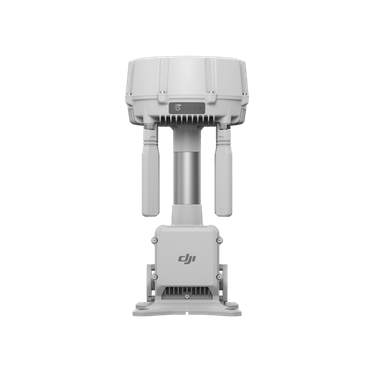
Description
Overview
The DJI O4 Ground Station supports Gateway mode with DJI Dock 3 and Dock 4. Matrice 400 is supported in Relay mode only. Relay mode also supports the listed Dock and Matrice 4 systems, including Matrice 4D and Matrice 4TD with DJI RC Plus 2 Enterprise, subject to compatible firmware and regional frequency availability. A supported PoE power source and correctly installed wiring are required.
Using this accessory
Position the O4 Ground Station to support the documented communication workflow for your compatible DJI equipment. It offers distinct Gateway and Relay modes; Matrice 400 is supported in Relay Mode only.
Choose the correct configuration
Check the aircraft or dock, power supply, firmware and regional frequency support before deployment. A communication accessory does not itself authorise flights beyond visual line of sight.
Key features
- Provides Gateway and Relay workflows with different equipment compatibility.
- Matrice 400 is supported in Relay Mode only.
- After position calibration, DJI documents RTK reference data for connected supported aircraft; network and regional conditions still apply.
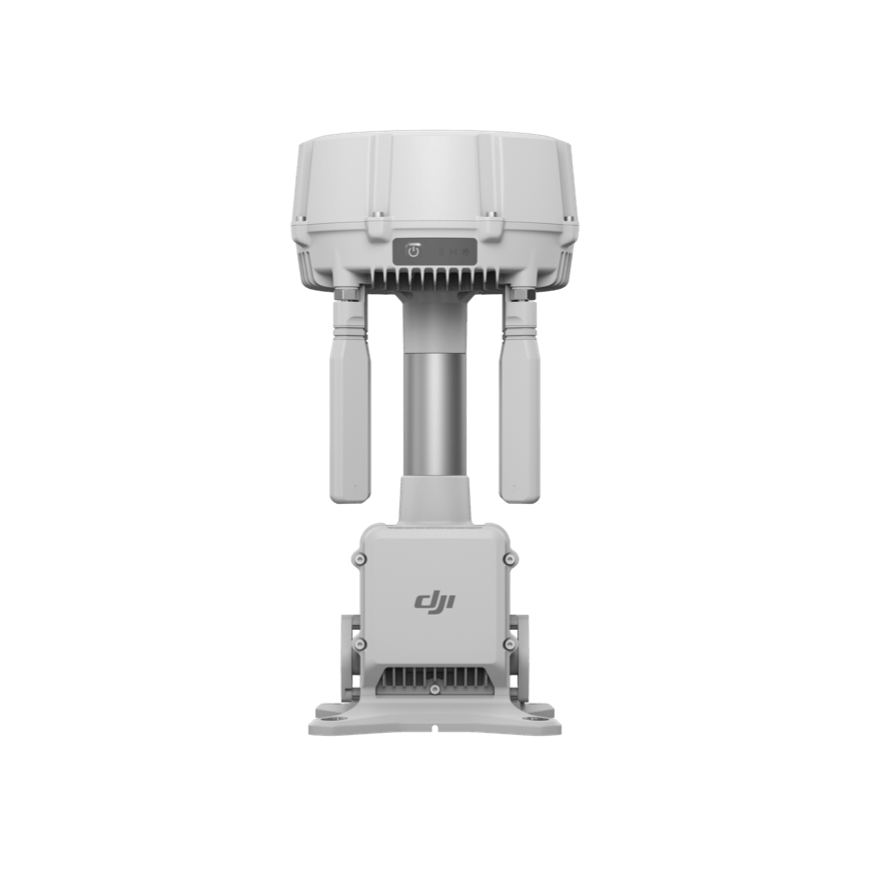

Compatibility
Gateway mode
DJI Dock 3
DJI Dock 4
Relay mode
DJI Dock 3
DJI Dock 4
DJI Matrice 400
DJI Matrice 4E
DJI Matrice 4T
DJI Matrice 4D and Matrice 4TD with DJI RC Plus 2 Enterprise
- Matrice 400 supports Relay mode only.
- The available modes and frequency bands depend on the equipment, firmware and operating region.
- Confirm the PoE power source, network cabling and installation requirements for the deployment.
Specifications
| Transmission system | DJI O4 Enterprise Enhanced |
|---|---|
| Antenna array | 12 internal and external antennas |
| Matrice 400 mode | Relay mode only |
| Low-power standby reference | 7 W device consumption under the specified conditions |
| Power connection | Supported PoE source; correctly installed wiring and connectors |
| Ingress protection | IP67 subject to installation conditions |
| Manufacturer part number | CP.EN.00000737.01 |
Confirm the installation fixings, network cabling and PoE equipment required for your deployment.
Setup and use
- Select the supported Gateway or Relay workflow before choosing the installation site.
- Provide the specified power/network connections and fit the antennas and port covers following the manual.
- Activate using the DJI Enterprise app on a supported Android phone and carry out calibration and linking.
- Check the firmware, regional frequency support and operating conditions for the selected aircraft.
Official manuals and setup guidance
- DJI O4 Ground Station User Guide v1.0
- DJI O4 Ground Station User Manual v1.2 (Chinese)
- DJI O4 Ground Station Release Notes (Chinese)
- DJI O4 Ground Station Compatible PoE Power Supply List
- DJI O4 Ground Station Known Issues List (Chinese)
- DJI O4 Ground Station IP Camera Configuration Guide (Chinese)
Common questions
Does Matrice 400 support Gateway mode on this ground station?
Matrice 400 is listed for Relay mode only. Gateway mode is for the supported Dock systems; check the current DJI mode and firmware requirements for the complete setup.
How do I choose the correct version?
Matrice 400 supports Relay mode only.
Explore compatible equipment
Check the compatibility notes above when selecting a complete setup. Equipment linked below is supplied separately unless included in the box contents.
- DJI Dock 3 | Automated Drone Dock for Matrice 4D&4TD
- DJI Matrice 400 | Long-Endurance Enterprise Drone Platform
- DJI Matrice 4E | Survey Drone
- DJI Matrice 4T | Thermal Inspection Drone
- DJI Matrice 4D Drone – Enterprise Industrial Drone for Mapping, Inspection & Surveying
- DJI Matrice 4TD Drone – Enterprise Thermal Drone for Inspection, Public Safety & Night Operations







Reviews
There are no reviews yet.