

Description
Overview
The hub prioritises the battery with the highest remaining charge and supports Standard and Ready-to-Fly modes. An SDC Fast Charge Cable is included. Flight batteries and the recommended power supply are supplied separately.
Using this accessory
The Matrice 4 Series 200W hub charges compatible Matrice 4E and Matrice 4T batteries sequentially. It prioritises the battery with the highest remaining charge and supports Standard and Ready-to-Fly modes.
Choose the correct configuration
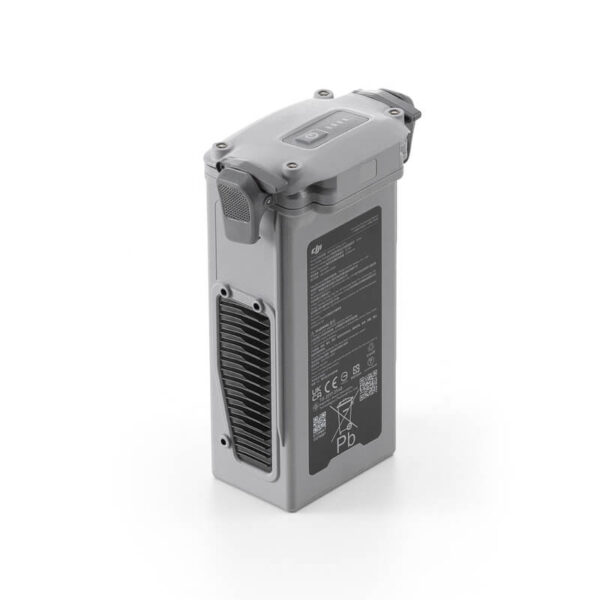
Use battery model BPX345-6741-14.76 with the matching DJI 240W Power Adapter or DJI Power 1000 connection specified for this hub. Batteries and the power source are supplied separately; this hub does not accept Matrice 4D or Matrice 4TD batteries.
Key features
- Three compatible battery connections, charged sequentially.
- 100% Standard mode and 90% Ready-to-Fly mode.
- SDC Fast Charge Cable supplied; the power source is separate.


Compatibility
Compatible with Matrice 4E and Matrice 4T flight batteries, model BPX345-6741-14.76. Compatible power sources are DJI 240W Power Adapter CDX230-240 or DJI Power 1000 with the appropriate connection.
- Not compatible with Matrice 4D or Matrice 4TD batteries.
- The power source and flight batteries are supplied separately.
- The Matrice 4 Series 200W hub is different from the Matrice 4D Series 240W hub.
Specifications
| Manufacturer model | CHX345-200 |
|---|---|
| Rated hub power | 200 W |
| Battery connections | Up to three compatible batteries |
| Charging sequence | One battery at a time, highest remaining charge first |
| Input | 11.2–17 V; maximum 12.1 A |
| Standard mode | Sequential charging to 100% |
| Ready-to-Fly mode | Sequential charging to 90% |
| Operating temperature | 5 to 40°C |
| Manufacturer part number | CP.EN.00000707.01 |
In the box
- Charging Hub × 1
- SDC Fast Charge Cable × 1
Supplied separately
- Flight batteries
- 240W Power Adapter or portable power station
Setup and use
- Connect the matching DJI 240W power supply or supported DJI Power 1000 configuration.
- Select the charging mode and connect compatible M4 batteries.
- Use the status indicator and disconnect batteries when charging is complete.
Official manuals and setup guidance
Common questions
Does it charge all connected batteries simultaneously?
No. It charges batteries sequentially, starting with the highest remaining charge.
Is the USB-C assistant port a battery-charging input?
No. DJI identifies that assistant port for hub firmware updates; the specified power connection is used for charging.
Explore compatible equipment
Check the compatibility notes above when selecting a complete setup. Equipment linked below is supplied separately unless included in the box contents.







Reviews
There are no reviews yet.