
SOLAR PV · PRACTICAL SELECTION GUIDE
Choose a thermal aircraft around traceable module observations, operating conditions and electrical follow-up—not the appearance of a hot spot alone.
Evidence reviewed 15 November 2026 · Ireland

Author · Technical Director
Published by Irish Drone
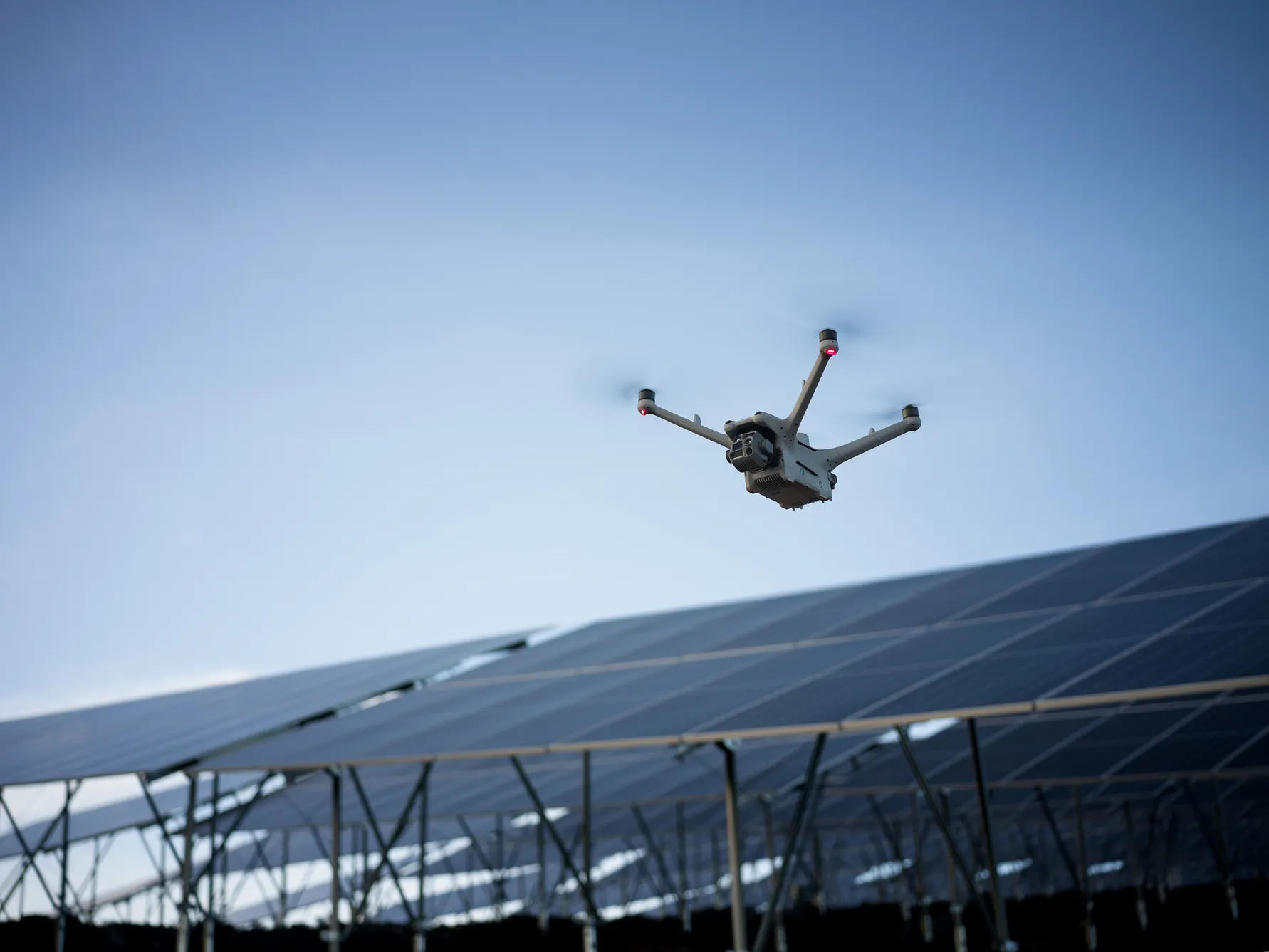
The model choices and workflow checklists below are editorial recommendations. Manufacturer statements, research findings and regulatory guidance are cited separately. The Irish Drone screenshot below is our own Matrice 4T capture; the manufacturer and independent research examples retain their separate credits.
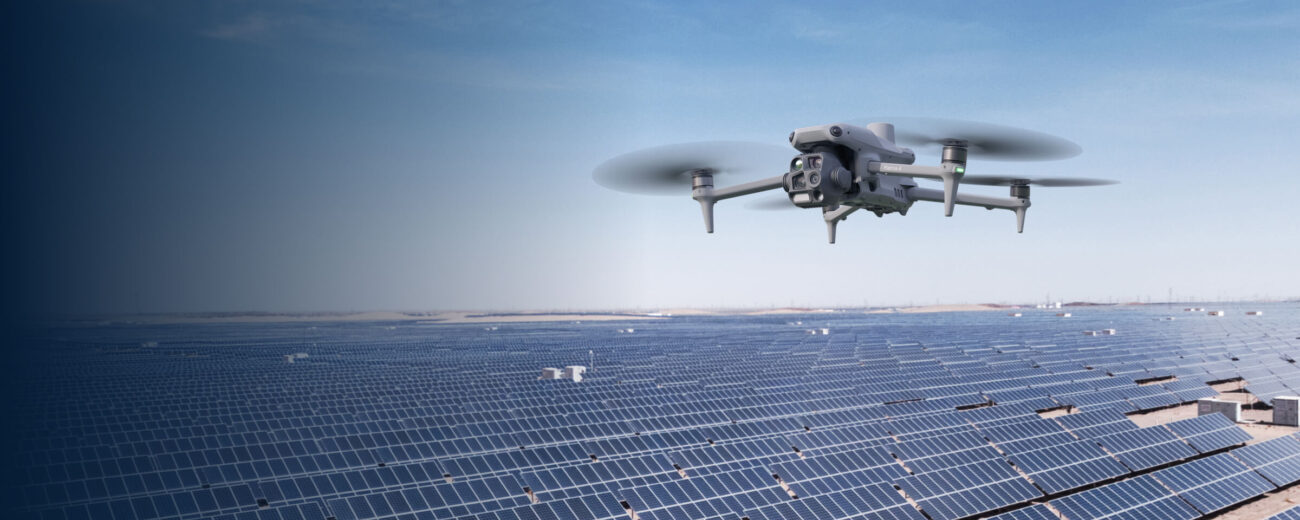
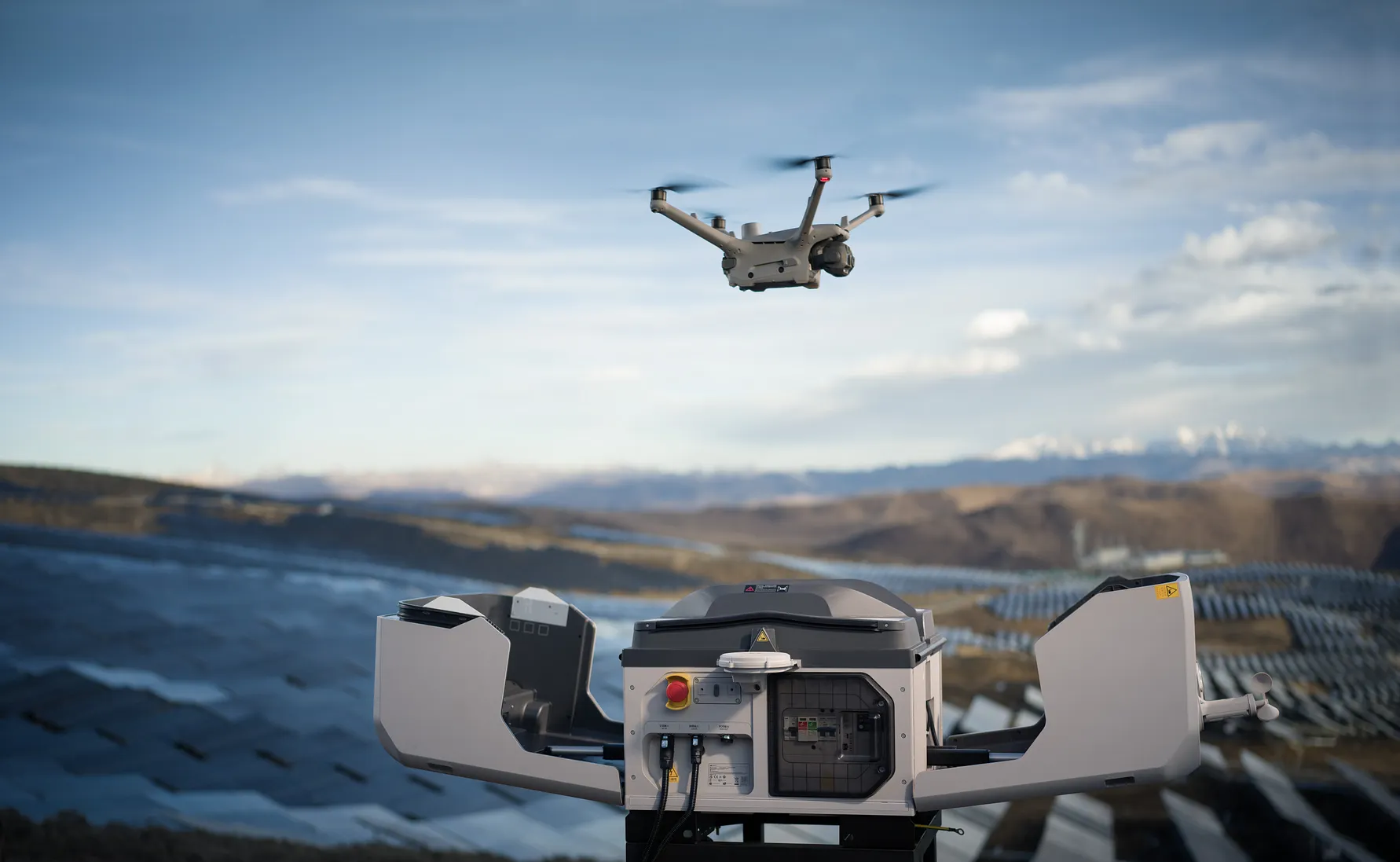
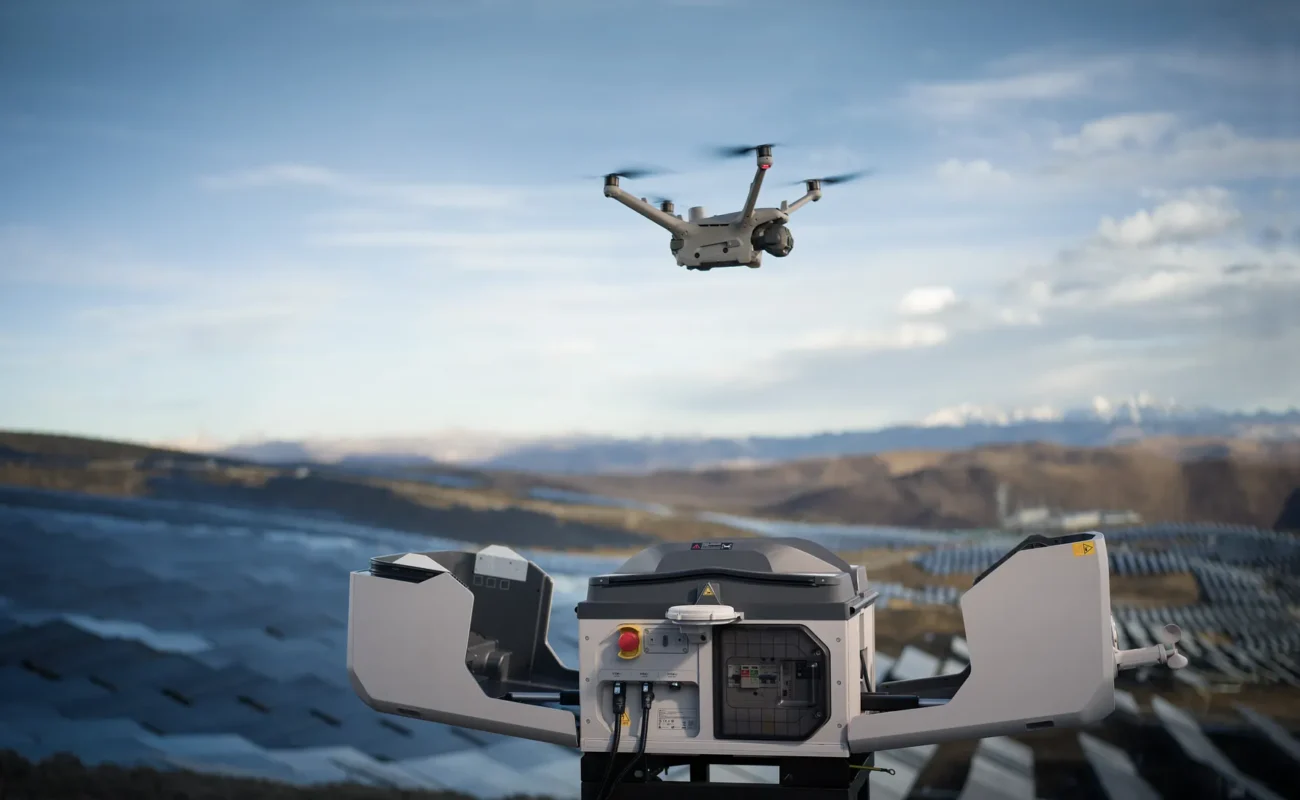
Official DJI application visual: Matrice 4T above photovoltaic panels. This manufacturer visual is not an Irish Drone project. Source.
PV Inspection Decision: Matrice 4T vs 4TD
For solar PV thermal inspections, both the DJI Matrice 4T and Matrice 4TD have thermal cameras[1][2]. However, their suitability depends on operational context.
- Our starting recommendation for a visiting inspection team is to assess the Matrice 4T against its field deployment and coverage requirements.
- For a recurring asset programme, assess whether the Matrice 4TD and the proposed operating arrangements justify their support requirements.
Our recommendation: Choose the Matrice 4T for ad-hoc inspections or when flexibility in deployment is key. Consider the Matrice 4TD for a justified recurring-site programme; traceability and repeatability must be demonstrated with either aircraft.
The ultimate goal is not just to produce a visually striking heatmap but to capture a traceable observation that requires O&M verification. A thermal image must be accompanied by documented conditions and asset identification for meaningful follow-up.
Choose the solar inspection configuration around the job
Start with how the team will reach the panels and how often it needs to return. The following are practical starting points, rather than performance rankings or promises about a package.
| Configuration | Practical starting point | What to agree before buying |
|---|---|---|
| Matrice 4T | Visiting team covering multiple roofs or sites | Agree launch spots, battery rotation and the required module-level images |
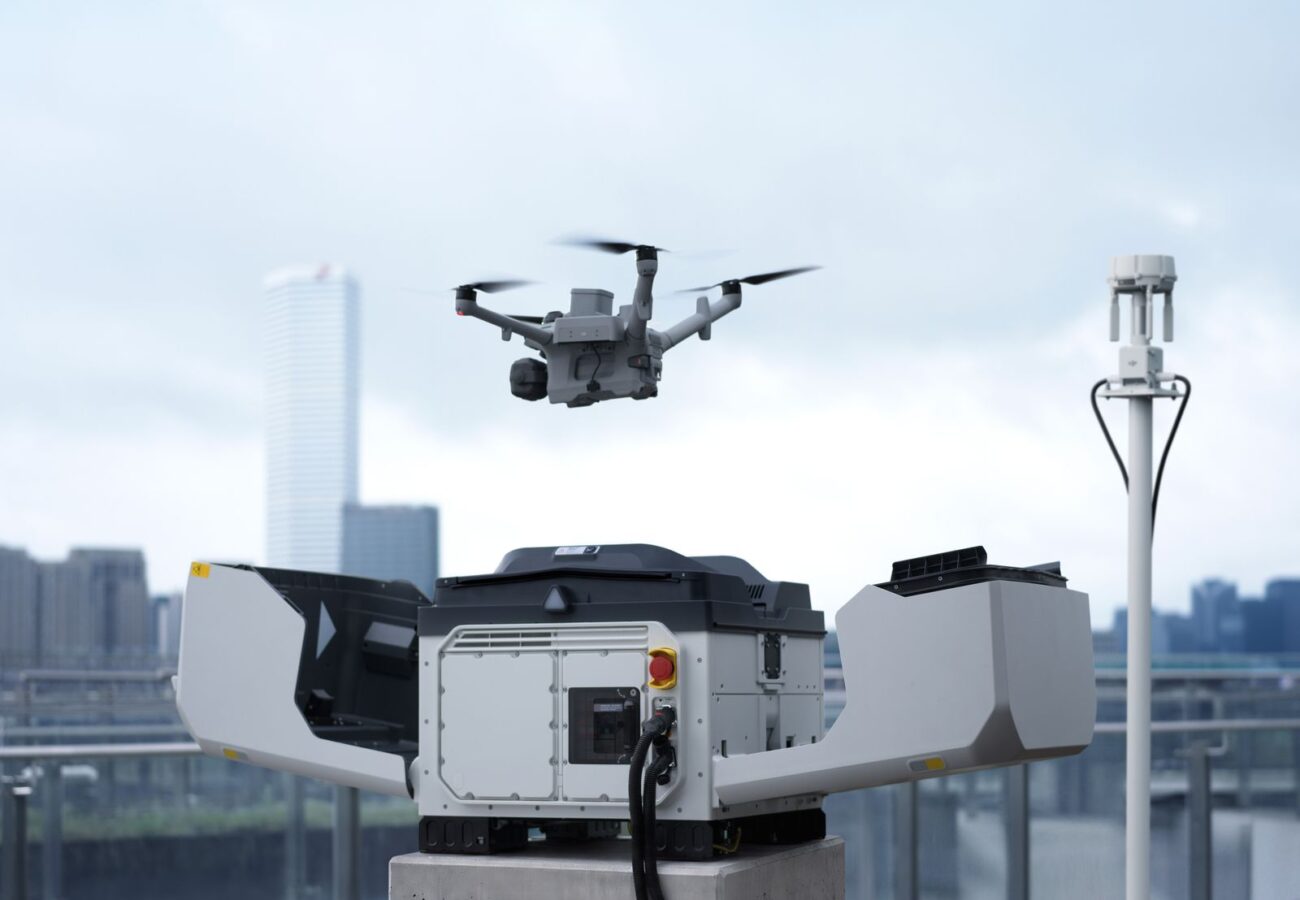
| Matrice 4TD | Manual deployment at individual sites | Remote-controller use; Dock 3 is optional[8] |
| Matrice 4TD + Dock 3 | Repeat work at prepared sites with infrastructure | Budget for site preparation, communications and a person to act on exceptions |
| Matrice 400 + Zenmuse H30T | Larger or specialized projects needing payload flexibility | DJI lists H30T compatibility[9]. Confirm the current aircraft, camera and controller firmware combination[10] |
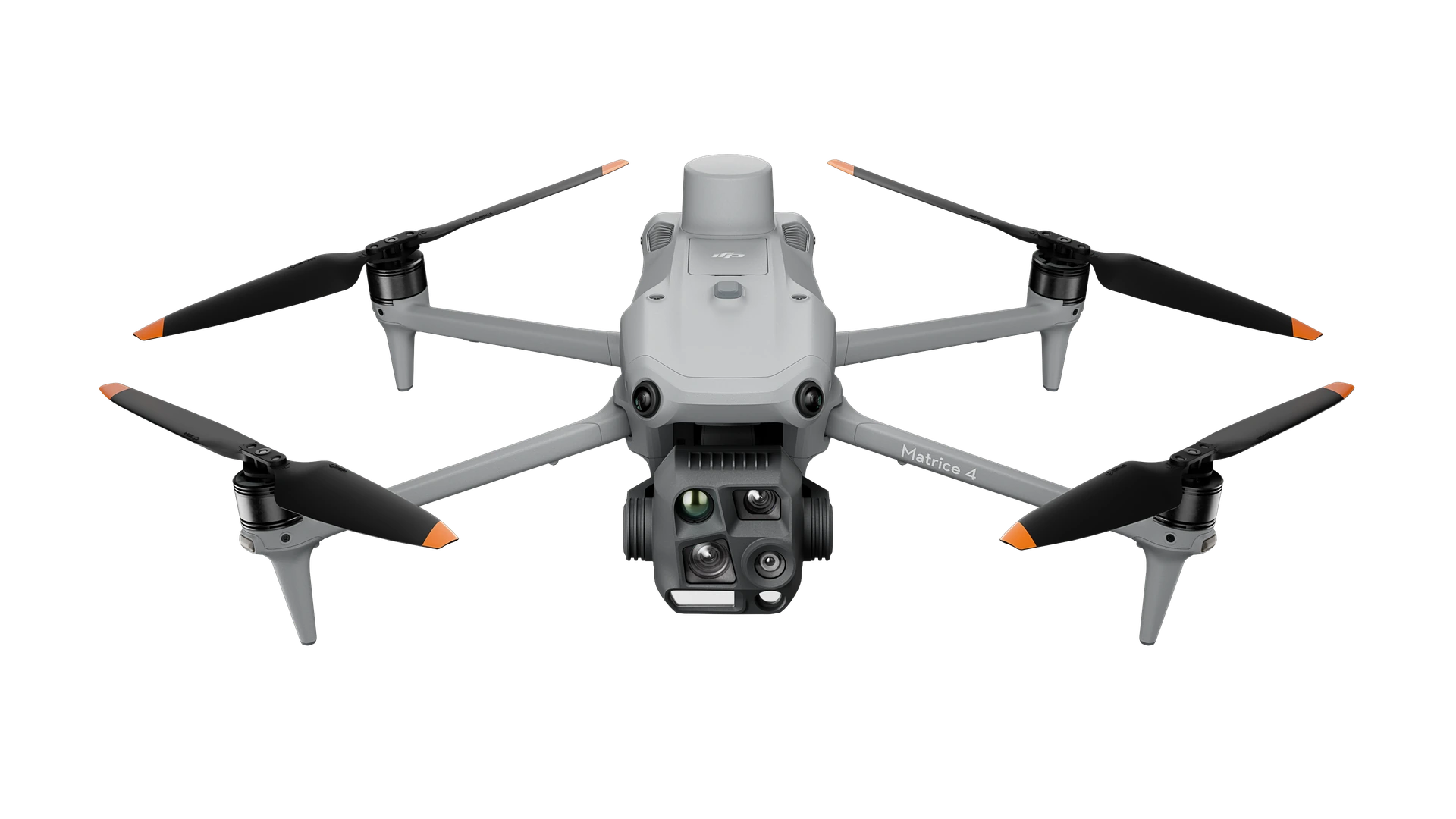
Compare the Matrice 4T, Matrice 4TD and the separate Matrice 400/H30T solar-farm configuration. An interchangeable payload is a reason to consider the larger platform; it does not establish better inspection results.
Capture Process: Thermal & RGB Alignment
Successful PV thermography begins with coordination:
- Agree on plant layout, module/string/inverter IDs.
- Confirm normal operating status with the asset operator.
- Plan representative coverage and document exclusions.
- Record irradiance, weather, load, and timing conditions[3].
- Capture matched RGB/thermal images during the same flight.
An Irish Drone Matrice 4T rooftop PV capture
We captured these side-by-side thermal and RGB views of a rooftop solar PV array with a DJI Matrice 4T. The visible view helps locate a thermal pattern on the modules so that the reviewer can decide what needs closer inspection.
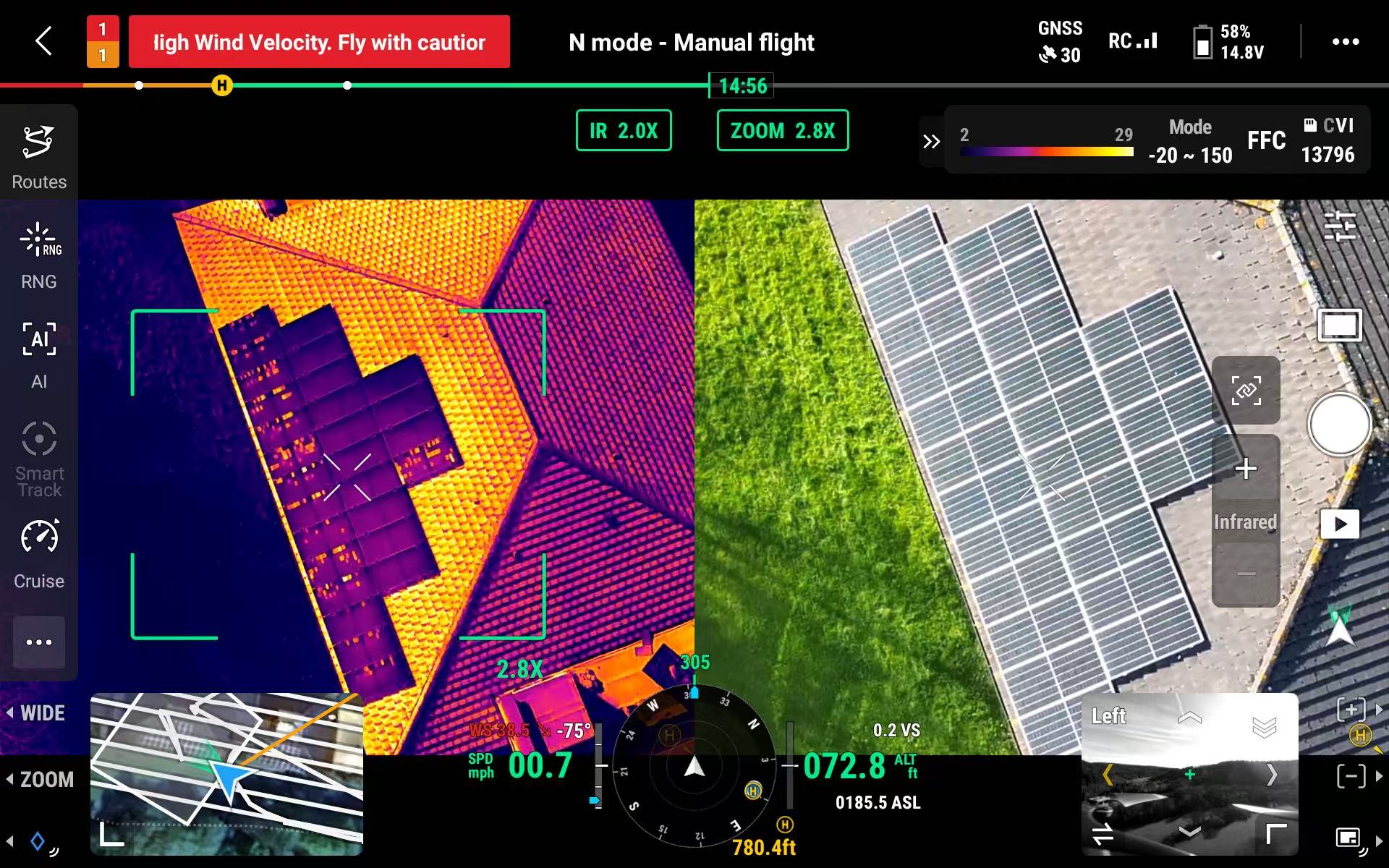
This complete controller screenshot is a device-view and dual-light observation example. Its High Wind warning is retained. It is not advice to continue flying with that warning, an original radiometric file or a confirmed module-fault diagnosis.
The public abstract of IEC TS 62446-3 addresses in-operation PV thermography, including equipment, ambient conditions, procedure, reporting and personnel qualification[4].
Quality checks must be performed before delivery. Ensure that the thermal frame’s pixel coverage aligns with the module or cell-level question at hand. Flight height is determined by data specifications, permissions, and safe access—not by maximum RGB zoom.
Thermal resolution is critical for detecting anomalies like hotspots, which may stem from shading, soiling, or component issues. However, a thermal pattern alone does not confirm an electrical fault; it requires qualified follow-up analysis.
Hotspot Detection and Analysis
Thermal hotspots can indicate various conditions:
- Shading effects
- Soiling or dirt accumulation
- Component degradation or failure
Useful thermal records require operator training and post-flight analysis. Hypothetical example, not a measured project: a warm patch near a shadow edge should prompt a review of shading, operating conditions and reflections before a cause is assigned.
Reflection checks are essential—the recorded apparent temperature can include reflected radiation from the surroundings; review the viewing angle and paired RGB context[5]. The appropriate follow-up depends on the observation and operating context.
Our recommendation is to send traceable observations and their limitations to competent O&M personnel, who determine the appropriate electrical investigation, repeat capture or other follow-up. A drone image alone does not close the diagnosis.
For more information on drone-based solar PV inspection workflows in Ireland, visit: Matrice 4T Solar Inspection Guide.
PV Deployment Considerations: 4T vs 4TD for Thermal Inspections
When selecting a drone for solar PV thermal inspections, operator workflow and site conditions play a critical role in determining which platform is most suitable. Assess the whole deployment alongside the intended evidence.
Both require a safe operating window. Wind and changing cloud conditions can also compromise thermal comparisons[3].
For visiting crews, account for the time needed to carry equipment between the planned launch and inspection areas. Battery rotation and walkable access are key considerations when deploying these systems in remote or elevated locations. Plan a suitable landing area and battery turnaround for either aircraft.
For fixed-site programmes, record the required maintenance, access, communications and response arrangements. A recurring schedule needs a named person to review conditions, exceptions and requests for intervention; it does not imply continuous availability.
Our mobile thermal inspection team guide covers the carried kit, charging and vehicle-mounted deployment across several sites.
PV Inspection Delivery: Workflow and Data Handling
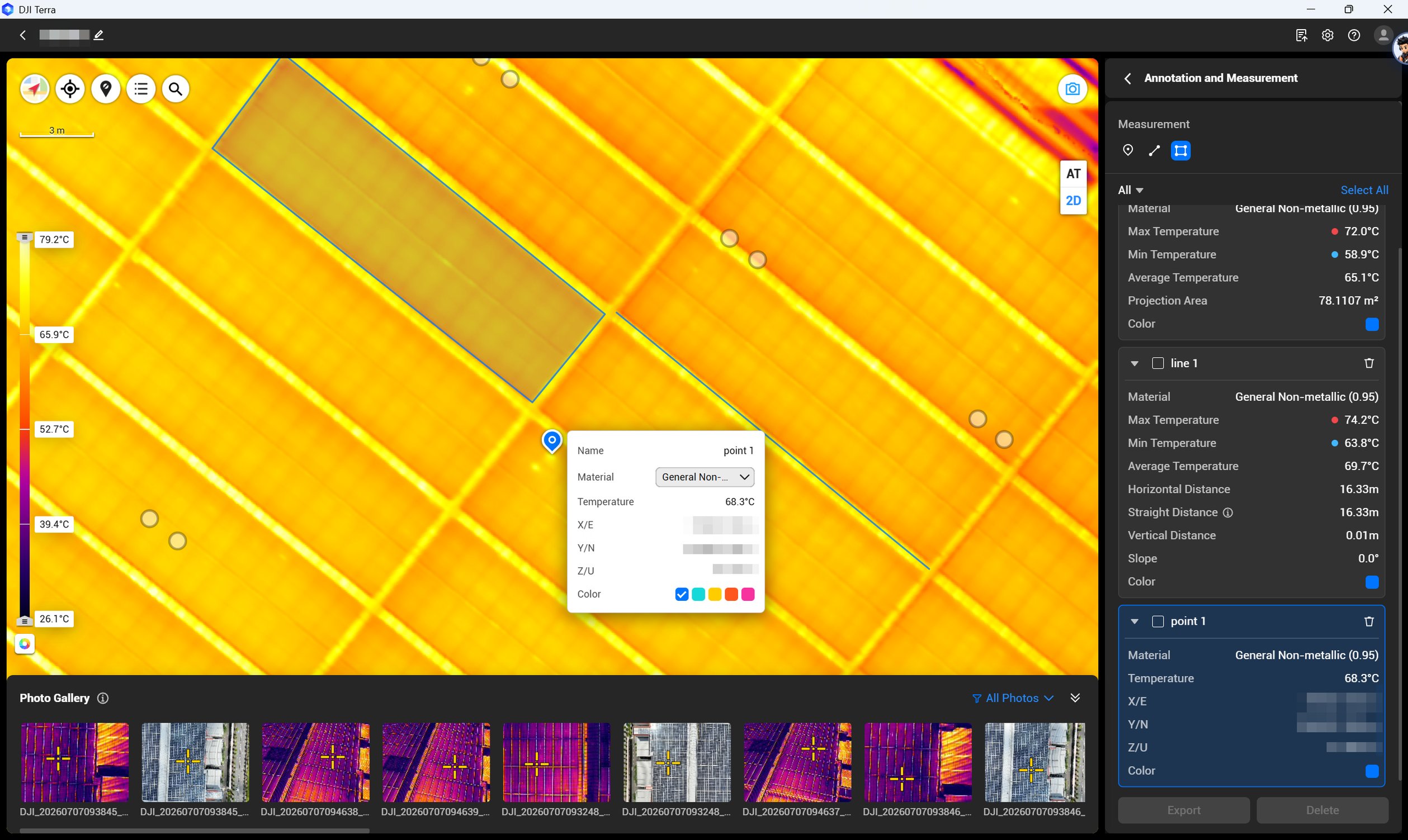
DJI Terra 5.3.0 introduced thermal 2D reconstruction on 23 July 2026. [12] DJI’s July update lists Matrice 4T/4TD support, point/line/area temperature analysis and PDF/XLSX report export. [13]
Terra needs both visible and thermal source imagery in an eligible capture mode; Super Clear imagery cannot be reconstructed. Record the installed version and activated licence, then trial the intended output with representative original files. DJI treats reconstructed temperatures as an engineering reference, not a metrological result. [14]
For the handover, keep the original files and the reviewed observations connected:
- Retain the original RGB and thermal files.
- Connect each observation to the plant and module/string IDs.
- Analyse eligible data and record the settings used.
- Have a competent reviewer check the observation and its limits.
- Export the agreed report with links to the source files.
- Log the O&M action, responsible person and close-out record.
Thermal mosaics and homogenised images can aid in visual organisation but do not guarantee that every module was sampled adequately or that individual frame checks were performed. The operator must ensure that each inspection includes sufficient coverage and that anomalies are manually reviewed.
Training and an understanding of flight operations and thermography are important for qualitative anomaly screening. Do not treat an automated indication as a confirmed diagnosis[7]. Operators should be equipped to interpret thermal data in context with irradiance levels, module status, and environmental conditions.
Blank PV delivery report structure
Template to fill for the job, not a completed customer report or acceptance certificate. On a phone, swipe to read the table.
| Report section | What to include | Project entry |
|---|---|---|
| Job and coverage | Plant, module/string IDs, task date, inspected area and exclusions. | — |
| Original evidence | RGB/thermal filenames, asset links and retained originals. | — |
| Capture conditions | Operating status, irradiance, weather, time and any recorded warnings. | — |
| Analysis record | Software/version, processing choices, measurement areas and settings used. | — |
| Measurement parameters | Emissivity, reflected temperature, ambient temperature, humidity and target distance. [14] | — |
| Observation | Describe the visible and thermal pattern; separate observation from suspected cause. | — |
| Review and limits | Reviewer, confidence, coverage gaps and confirmation still needed. | — |
| Handover files | Report/export filenames and links back to the original evidence. | — |
| O&M follow-up | Agreed action, responsible person, target date and close-out evidence. | — |
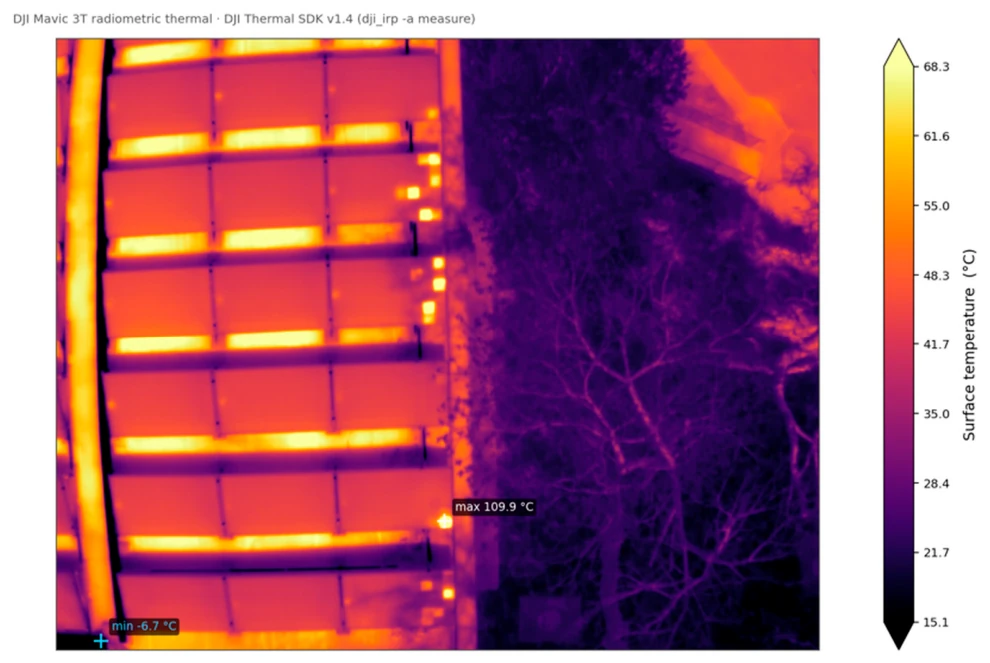
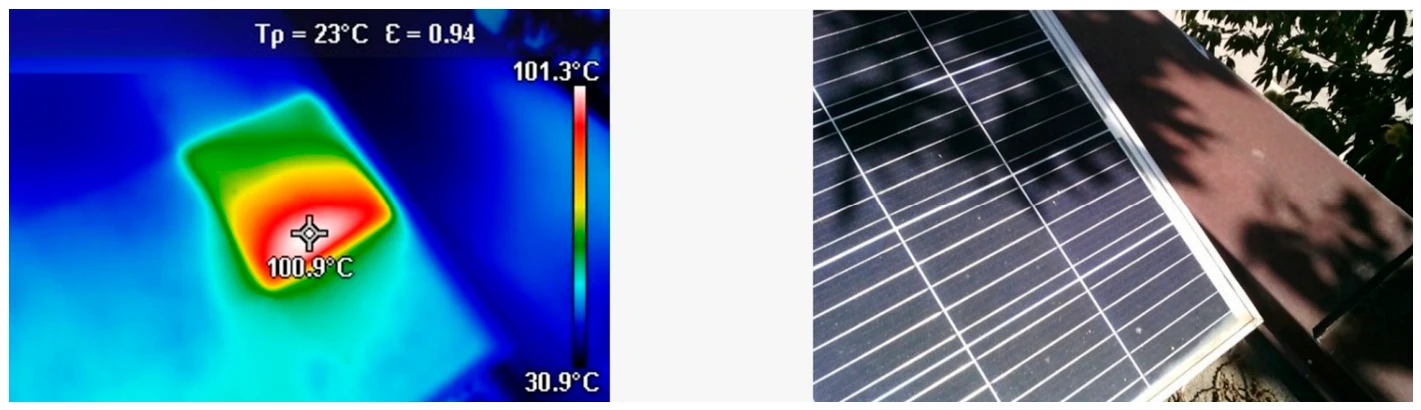
Independent research: capture and ground-check methods
PV Selection FAQ: Key Considerations for Thermal Inspections
- Can a hotspot prove a failed diode? No. Hotspots may indicate issues, but further investigation is required to confirm root causes.
- May I survey unpowered plant and compare with operating baseline? Only within a separately defined inspection method that accounts for the changed operating state; it is not a directly interchangeable baseline.
- Does a bigger enhanced image mean more detector pixels? No. More pixels in an enhanced output do not add physical detector pixels or establish better thermal sensitivity.
- Can an inspection guarantee fire prevention or financial return? No. Inspections are diagnostic tools, not guarantees of system performance or safety outcomes.
Contact us at https://www.irishdrone.ie/contact-us/ to discuss your plant layout, rooftop or ground mount configuration, size, reporting method, and O&M follow-up plan.
Request a Solar PV Inspection Configuration
Send the site extent, roof or ground mounting, inspection frequency and required RGB/thermal records. Tell us who will review the findings and what the client report needs to contain.
For a broader shortlist, compare drone options for solar PV inspection by the type of site, the evidence needed and how often you need to return.
References and technical evidence
Sources, versions and access dates
- DJI Matrice 4 Series — Specifications
DJI · n.d.; current page accessed 2026-11-13 · manufacturer
https://enterprise.dji.com/matrice-4-series/specs
Accessed 13 November 2026. - DJI Dock 3 — Specifications, including Matrice 4D/4TD
DJI · n.d.; current page accessed 2026-11-13 · manufacturer
https://enterprise.dji.com/dock-3/specs
Accessed 13 November 2026. - Thermal imaging cameras: a fast and reliable tool for testing solar panels
FLIR Systems · n.d. (historical technical note) · manufacturer technical note
https://support.flir.com/appstories/AppStories/Electrical%26Mechanical/Testing_solar_panels_EN.pdf
Accessed 13 November 2026. - IEC TS 62446-3:2017 — Photovoltaic modules and plants: Outdoor infrared thermography
International Electrotechnical Commission · 15 June 2017; Edition 1.0 (public abstract only) · standard public abstract
https://webstore.iec.ch/en/publication/28628
Accessed 13 November 2026. - How Does Emissivity Affect Thermal Imaging?
Teledyne FLIR · 2021-11-01 · manufacturer technical guidance
https://www.flir.com/discover/professional-tools/how-does-emissivity-affect-thermal-imaging/
Accessed 13 November 2026. - DJI Matrice 4 Series — FAQ
DJI · n.d.; current page accessed 2026-11-13 · manufacturer
https://enterprise.dji.com/matrice-4-series/faq
Accessed 13 November 2026. - Can Thermal Drone Inspections of PV Systems Save Time and Money?
FLIR · 2019-07-23 · manufacturer educational overview
https://www.flir.com/en-gb/discover/industrial/can-thermal-drone-inspections-of-pv-systems-save-time-and-money/
Accessed 13 November 2026. - DJI Dock 3 FAQ
DJI · Current manufacturer page
https://enterprise.dji.com/dock-3/faq
Accessed 14 November 2026. - DJI Matrice 400 FAQ — supported payloads
DJI · Current manufacturer page
https://enterprise.dji.com/matrice-400/faq
Accessed 14 November 2026. - DJI Zenmuse H30 Series FAQ — aircraft compatibility
DJI · Current manufacturer page
https://enterprise.dji.com/zenmuse-h30-series/faq
Accessed 14 November 2026. - An Integrated Framework for Anomaly Detection in Photovoltaic Systems Using UAV Multi-Sensor Data and SCADA Telemetry
Lupoiu et al., JSAN 15(6),85 · 22 October 2026; CC BY 4.0
https://www.mdpi.com/2224-2708/15/6/85
Accessed 14 November 2026. - DJI Terra release notes, 5.3.0 · DJI, 23 July 2026. Accessed 15 November 2026.
- DJI Terra July 2026 thermal update · DJI Enterprise, 31 July 2026. Accessed 15 November 2026.
- DJI Terra FAQ: Thermal Infrared Project · DJI. Accessed 15 November 2026.

Leave a comment