

CONSTRUCTION · PROGRESS RECORDS
Agree work zones, capture timing, captions and an archive that lets the project team understand what changed between visits.
Evidence reviewed 3 November 2026 · Ireland
The practical answer
A useful progress record shows the right work zone at the right date, with enough context for the project team to understand what changed. Agree recurring views, captions, missing-area reporting and the archive before deciding the flight schedule.
Build the record around the meeting it supports
Ask the project team what it needs to explain at a progress meeting: the state of a work zone, an interface between trades, a milestone or a change in site logistics. Make that question the purpose of the capture. Different audiences may need a concise overview or a detailed location record.
Choose the receiving person and a sample output before the first visit. UK BIM Framework guidance treats information as something specified for a particular use. [1] Translate that principle into a practical brief: the required zones, useful views, capture timing, file handover and acceptance contact.
Agree zones and recurring views
Use the project’s work-zone names so the images fit the site discussion. Mark useful overview and detail viewpoints on a plan or reference record. Ask the team which views must remain comparable and which can change as the construction develops.
A recurring view should serve the intended explanation rather than become an obligation to repeat an unsuitable position. When the site changes, record the revised view and its reason. Retain the earlier reference so later readers understand the change. If the work is obscured, report that fact instead of implying the area was observed fully.

Choose timing around the project question
Agree whether capture follows a calendar, a milestone or a specific request. A regular visit can support an archive, while a milestone record may need coordination before the relevant work becomes concealed. Let the project team identify the important events and the operator confirm a feasible capture plan.
Provide a process for a missed visit or unavailable zone. Ask who decides whether a later image still answers the question and how the gap will appear in the record. A clear deferred status is more useful than a misleadingly continuous sequence assembled from images taken at different stages.
Write captions that explain rather than overclaim
Give each selected image a date, work zone, view reference and concise description of visible activity or condition. Use the project’s own terminology and have the receiving team confirm uncertain descriptions. Keep a link to the original image and avoid hiding the context behind a heavily cropped presentation copy.
Separate the visible record from a progress percentage, contractual conclusion or approval. Those decisions may need programme information, site measurements and professional assessment beyond the photograph. If the team wants an image used for such a purpose, agree the supporting evidence and responsible decision-maker as part of the commission.
Use a repeatable capture-to-review sequence
- Confirm the visit’s zones and questions with the site contact.
- Have the operator review current conditions against the agreed capture plan.
- Collect the overview and detail sequence, marking unavailable views.
- Check file completeness and identity after transfer.
- Ask the receiving team to accept the record or specify the missing evidence.
Keep the capture list and delivery index together. This lets someone distinguish a planned view, an acquired file and an accepted record. A request for recapture should say what is missing and whether the changed site can still provide it. Preserve the answer with the delivery so the reason for any gap remains visible.
Choose maps when they help the actual question
A sequence of photographs may be enough to explain a milestone. If the team needs a map or model, specify its intended use, reference, coverage and acceptance separately. Ask the survey professional to define checks where measured comparison is required. Choose processing because the recipient needs that output.
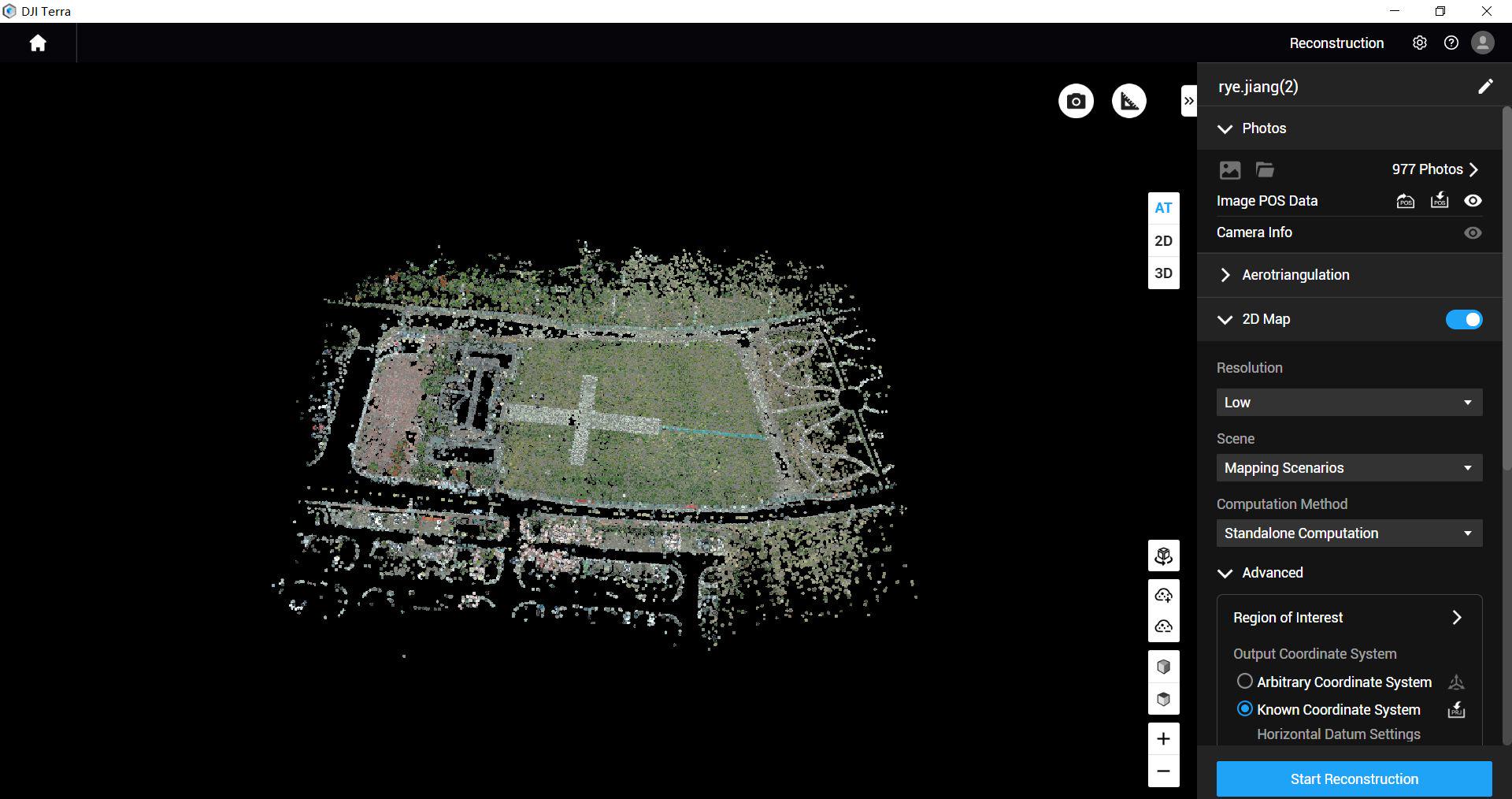
CT-01 includes Terra Standard for one year, restricted to M4E/M4D data. During training, ask to follow a representative dataset into the proposed deliverable and confirm that the receiving team can open it. Keep the original images and capture notes alongside processed outputs so a later question can be traced back to its evidence.
Test the archive with someone outside the capture team
Use a hypothetical handover exercise: give a colleague two dated records and ask them to find the same work zone, identify the viewpoint and locate the original files. They should be able to explain which areas are comparable and which were obscured or changed.
If the colleague needs the pilot to interpret filenames or remember a conversation, improve the index and captions. Agree how accepted records enter the project’s normal information system and who maintains permissions. This tests whether the programme is producing an enduring project record rather than a collection understood only by its creator.
The portable progress package
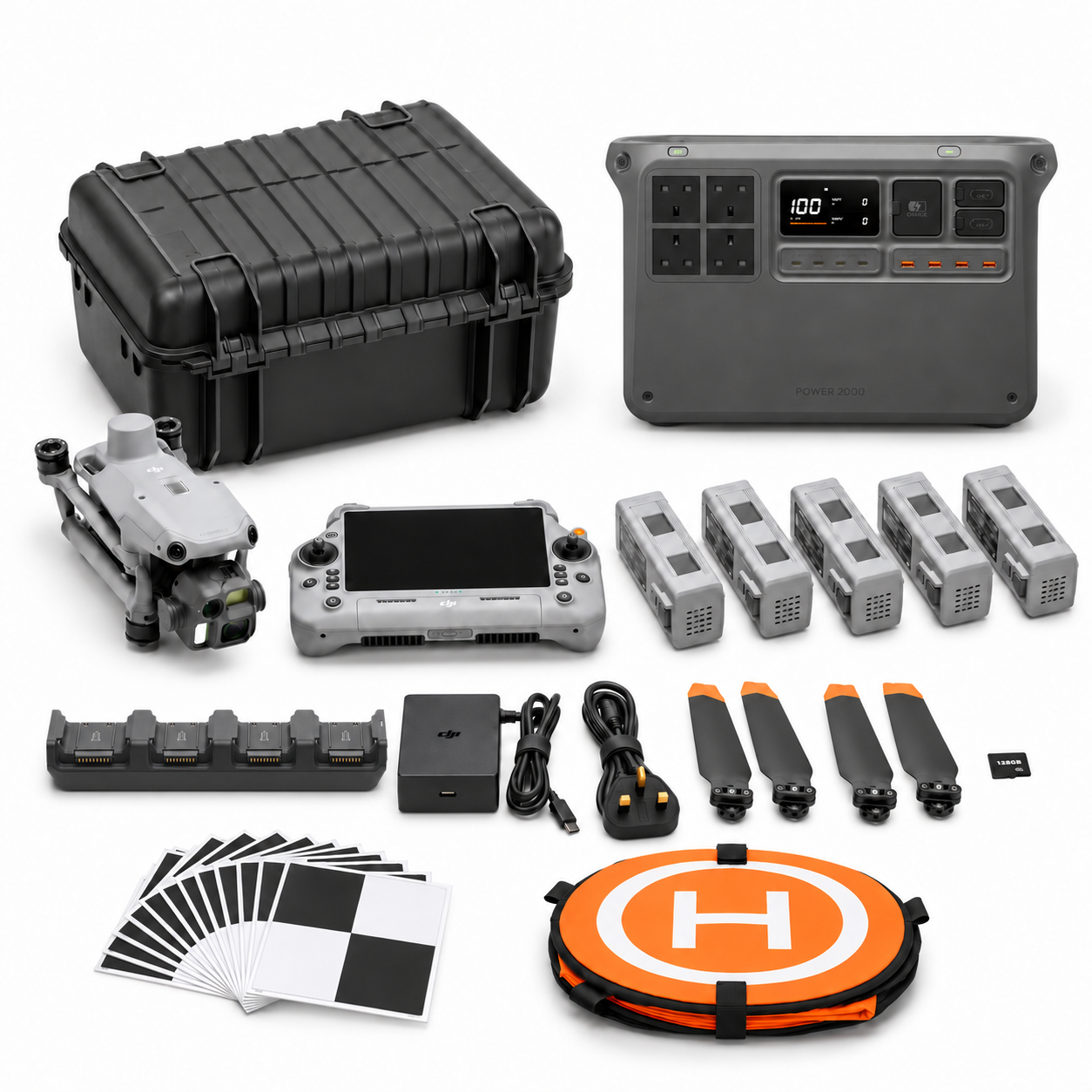
CT-01 includes M4E, five flight batteries in total, Power 2000, original charging equipment, a one-year restricted Terra Standard licence, progress templates, training and support. Two dataset quality reviews are included; agree the dataset and appointments around the chosen handover workflow.
Plan portable power around the actual charging equipment and available working pattern. Ask Irish Drone to demonstrate the file-check and review process during handover, including a deferred view. If the task moves into quantified earthworks, use the survey workflow guide to specify that separate requirement.
Questions for a useful progress programme
Does a weekly schedule suit every project? Set the cadence around the project’s information needs and feasible capture windows. Can photographs establish concealed workmanship? Ask the project professional what further inspection or records are required for that decision.
What should we send for a quotation? Provide work-zone names, example reporting needs, important milestones, sample desired images and the archive format. If recurring station-based capture is proposed, assess the dock commissioning route as an operating project rather than simply another camera position.
Explore the equipment packages on Irish Drone
Package illustrations show the listed configurations. Battery quantities are whole-package totals.
Official manuals and setup guidance

Continue with the guide for your work

Documentation and evidence
Sources for the cited guidance
- UK BIM Framework: Developing information requirementsRead source ↗
Reviewed 3 November 2026.
Compare equipment packages
Explore Construction & Earthworks drone packages →
To discuss equipment for construction progress capture, contact Irish Drone with the project schedule, required viewpoints and record handover.


Pingback: Earthworks Drone Surveys: Agree the Reference Before Calculating Volumes
Pingback: Construction Site Docks: Commissioning and Repeat Capture
Pingback: Choosing a Construction Drone Package: Progress, Earthworks or a Site Dock