
INDUSTRIAL INSPECTION · EQUIPMENT THERMAL RECORDS
Build a component record with original thermal files, visible photographs and operating notes that a maintenance reviewer can trace.
Evidence reviewed 3 November 2026 · Ireland
The practical answer
A useful industrial thermal record combines the original thermal file, visible context, asset identity and operating conditions. Treat an unusual pattern as an observation for qualified review, then link any follow-up inspection or maintenance decision to that record.
Define the record before collecting temperatures
A maintenance team may ask whether a comparable component looks unusual, whether a previous finding has changed, or where a closer inspection should begin. Write that question at the top of the brief. It determines which operating information and companion photographs should travel with the thermal file.
Create a simple record template before the flight. Include an asset code, component description, view direction, timestamp, original file reference and a place for the reviewer’s interpretation. Leave space for uncertainty and follow-up. A colour image copied into a slide can lose the connection between the displayed pattern and the underlying observation.
Understand the surface being observed
Emissivity varies with material and surface condition; reflective surfaces complicate temperature interpretation. [1] Ask the thermographer how the actual target will be assessed and which information the site must supply. A painted housing, bare metal pipe and protective cover need their own consideration.
Have the asset specialist identify the surface that matters. The outside of an enclosure may answer a different question from the component inside it. Record covers, insulation, coatings, obstruction and nearby hot objects in context photographs. If the target cannot be observed meaningfully from a safe position, put it on the exception list for another method.
Capture the operating context with the image
Arrange for the site contact to record the relevant operating state at capture: the process step, available load information, start-up or shutdown context and any recent change known to the maintenance team. Agree which records can be released and which remain in the customer’s systems.
A later reviewer should be able to tell whether two observations are reasonably comparable. Use a short capture sheet rather than relying on the pilot to remember a conversation. Where a condition changes during the visit, preserve that change in the record and ask the reviewer whether a comparison remains useful.
Build a repeatable evidence sequence
Begin each asset sequence with an overview that identifies the location. Add a visible photograph showing the relevant component and then the thermal observation from a meaningful viewpoint. Check the asset code and file references while the team can still correct an error on site.
Retain original files separately from annotated exports. Keep observation wording descriptive: identify the area and pattern that attracted attention, then give the reviewer a route to the source file. Put the maintenance conclusion in a separate field with its author and date so later readers can distinguish capture from interpretation.
Agree the measurement mode in advance
H30T High-Res mode does not support temperature measurement. [2] If numerical temperature review is part of the commission, agree the capture mode with the thermographer and check representative original files before completing the asset list.
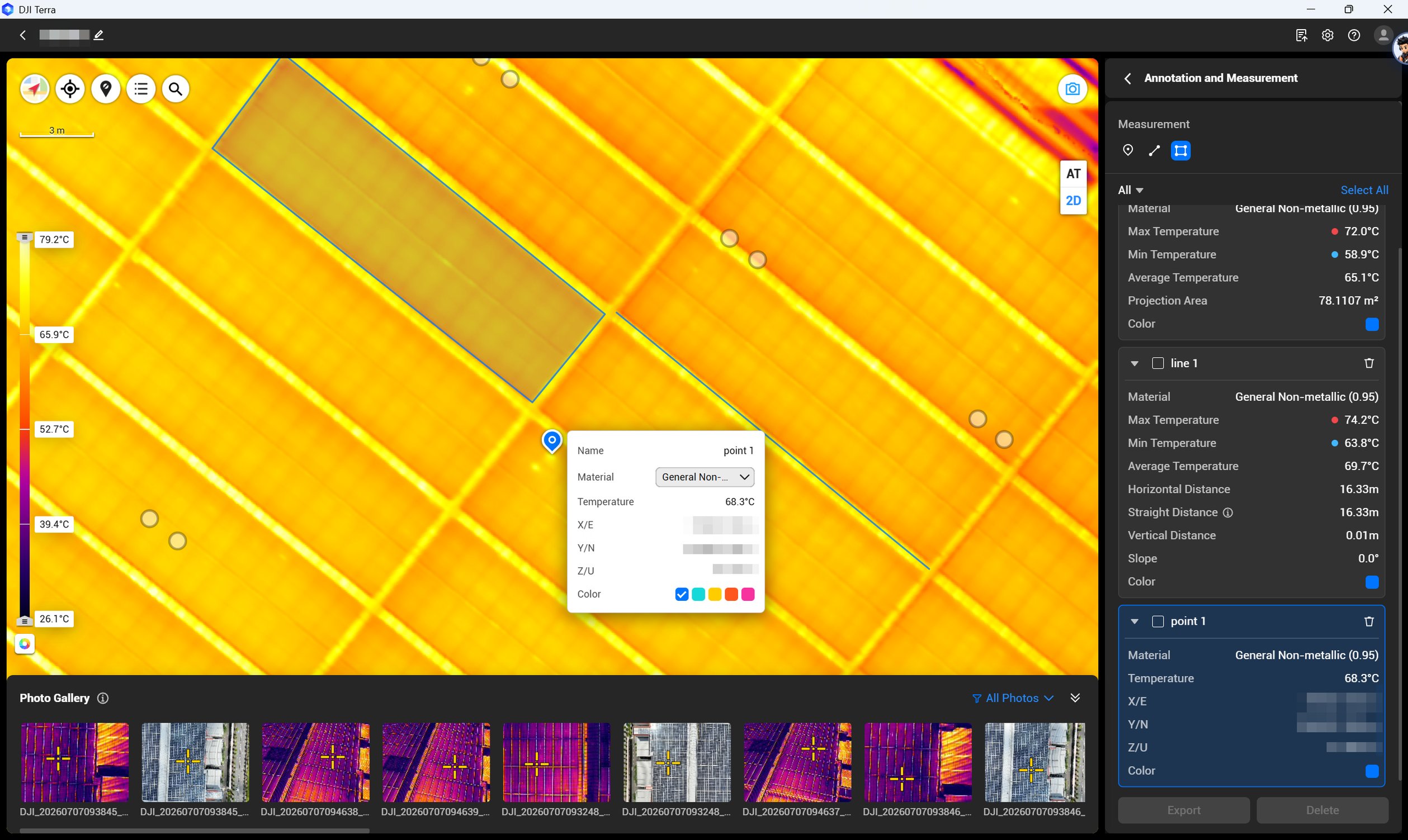
Separate live viewing, original thermal-file analysis and reconstruction into different workflow decisions. Terra can be useful for an agreed mapping output, but a component record may remain a well-indexed set of individual observations. Choose the output that lets the maintenance reviewer find and assess the component, rather than processing every visit into a map.
Turn observations into a controlled worklist
Give the engineering reviewer a staged handover. First confirm that asset identifiers and coverage are correct. Next review image usability and missing context. Only then assign interpretation and follow-up. This order prevents a persuasive thermal display from distracting the team from a wrongly identified component.
Use statuses such as ready for review, more information required, repeat capture requested and follow-up assigned. If a site has a maintenance system, agree how file links and asset codes will enter it. Preserve earlier versions when a finding changes so the history remains understandable to another reviewer.
An example acceptance conversation
Suppose the brief concerns several similar motor housings. The reviewer could ask for each housing’s identifier, an overview of its installed position, a visible detail, an original thermal file and the site’s operating note. A housing hidden by pipework would receive an exception entry rather than a speculative temperature.
During the trial, ask the reviewer to find one housing using only the delivered register. If they cannot trace it back to the original file and operating note, improve the record before extending the campaign. This tests the handover design without implying that a particular thermal pattern proves a bearing fault or requires a prescribed repair.
Agree how a recapture will be requested. The reviewer should specify the missing context or unusable view, and the capture team should confirm whether the request can be met within the approved method. Keep the rejected observation linked to its replacement so the reason for revisiting the asset remains visible.
Choose the kit and the specialist together
IN-01 supplies M4T, five flight batteries in total and Terra Flagship for one year; IN-04 adds Power 2000. IN-02 supplies M400 with H30T, three TB100 batteries in total and Flagship for one year; IN-05 adds portable power. Select between them using the viewpoint, payload and mobilisation plan.
Can an observation close a maintenance issue? Agree closure with the responsible engineer and link further examination to the record. What should training include? Ask for representative files, asset indexing and a realistic review handover. Send Irish Drone the component list and intended output so the equipment scope supports that exercise.
Explore the equipment packages on Irish Drone
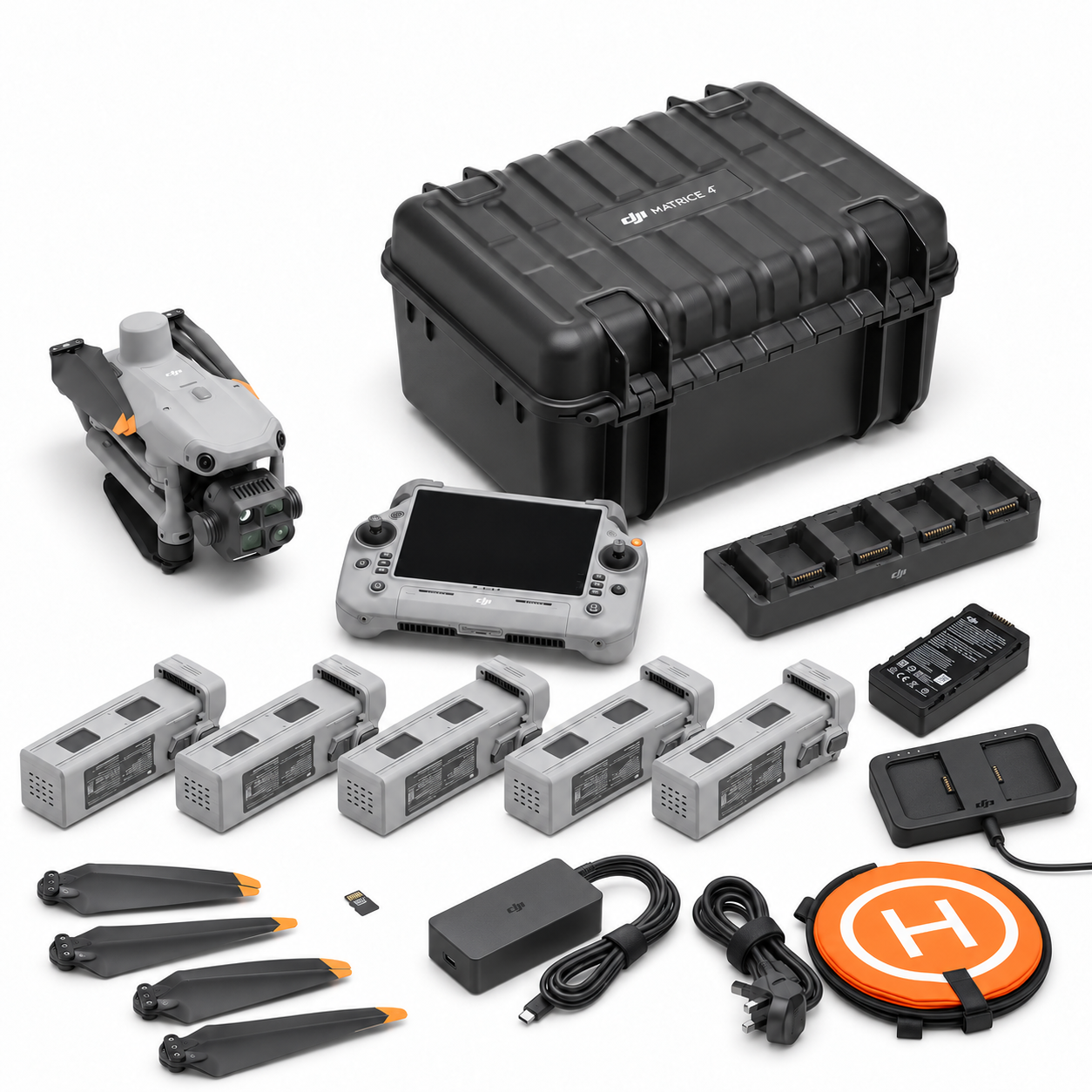
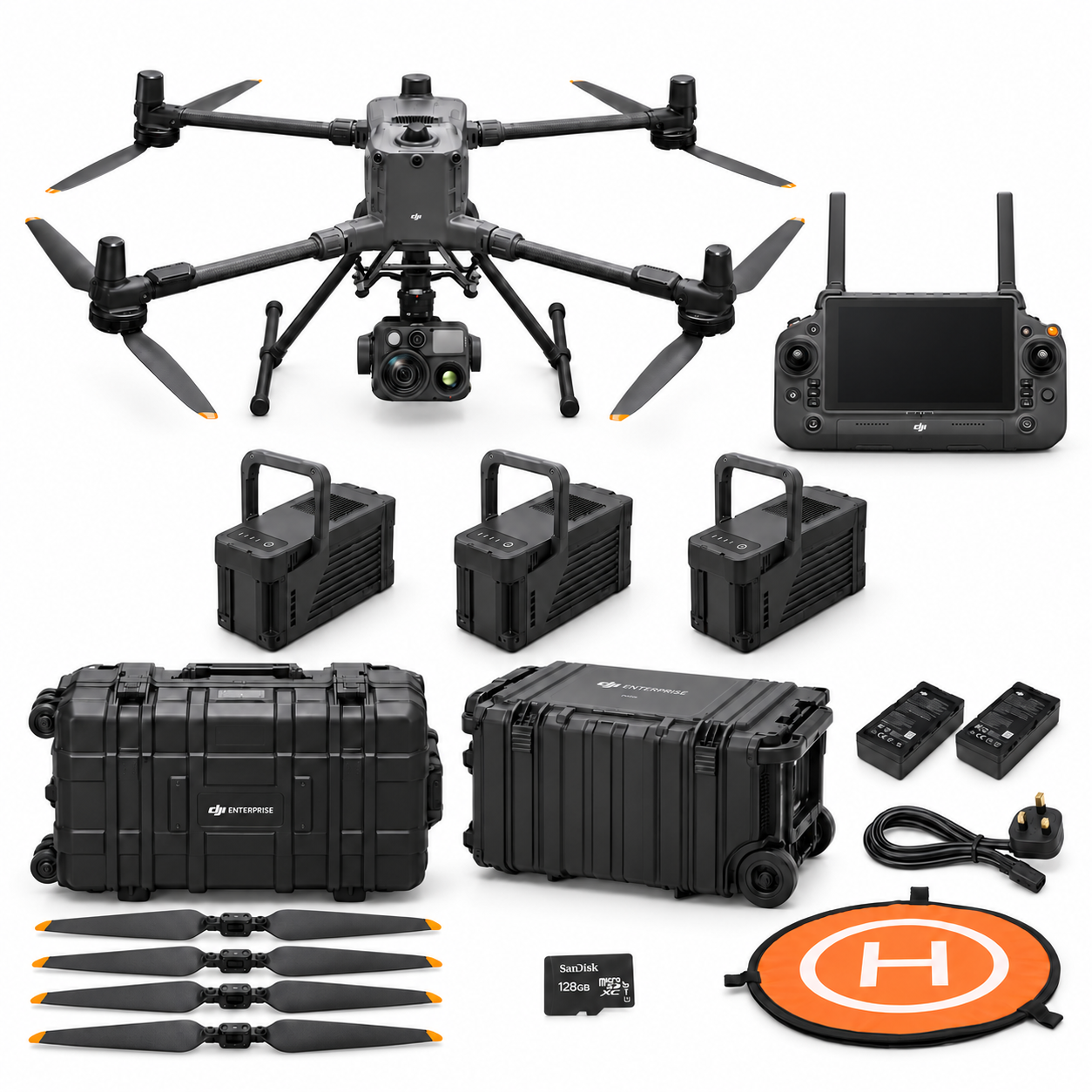


Package illustrations show the listed configurations. Battery quantities are whole-package totals.
Official manuals and setup guidance


Continue with the guide for your work


Documentation and evidence
Sources for the cited guidance
- NPL: What is emissivity and why is it important?Read source ↗
Reviewed 3 November 2026.
- DJI Zenmuse H30 Series FAQRead source ↗
Reviewed 3 November 2026.
Compare equipment packages
Explore Industrial & Telecom Assets drone packages →
To discuss equipment for industrial thermal records, contact Irish Drone with the equipment, operating context and specialist review needs.




Pingback: Telecom Tower Drone Surveys: Build a Traceable Visual Asset Register
Pingback: Planning a Large-Facility Drone Inspection Campaign
Pingback: Choosing an Industrial Inspection Drone Around the Asset Decision